> ## Documentation Index
> Fetch the complete documentation index at: https://blog.daehyung.dev/llms.txt
> Use this file to discover all available pages before exploring further.
# Phishing Detection with Sentinel
> Phishing detection using KQL syntax
# Phishing Detection with Sentinel
Hunt inbound phishing in Microsoft Sentinel using a simple mail log table and KQL.
## 1. Data
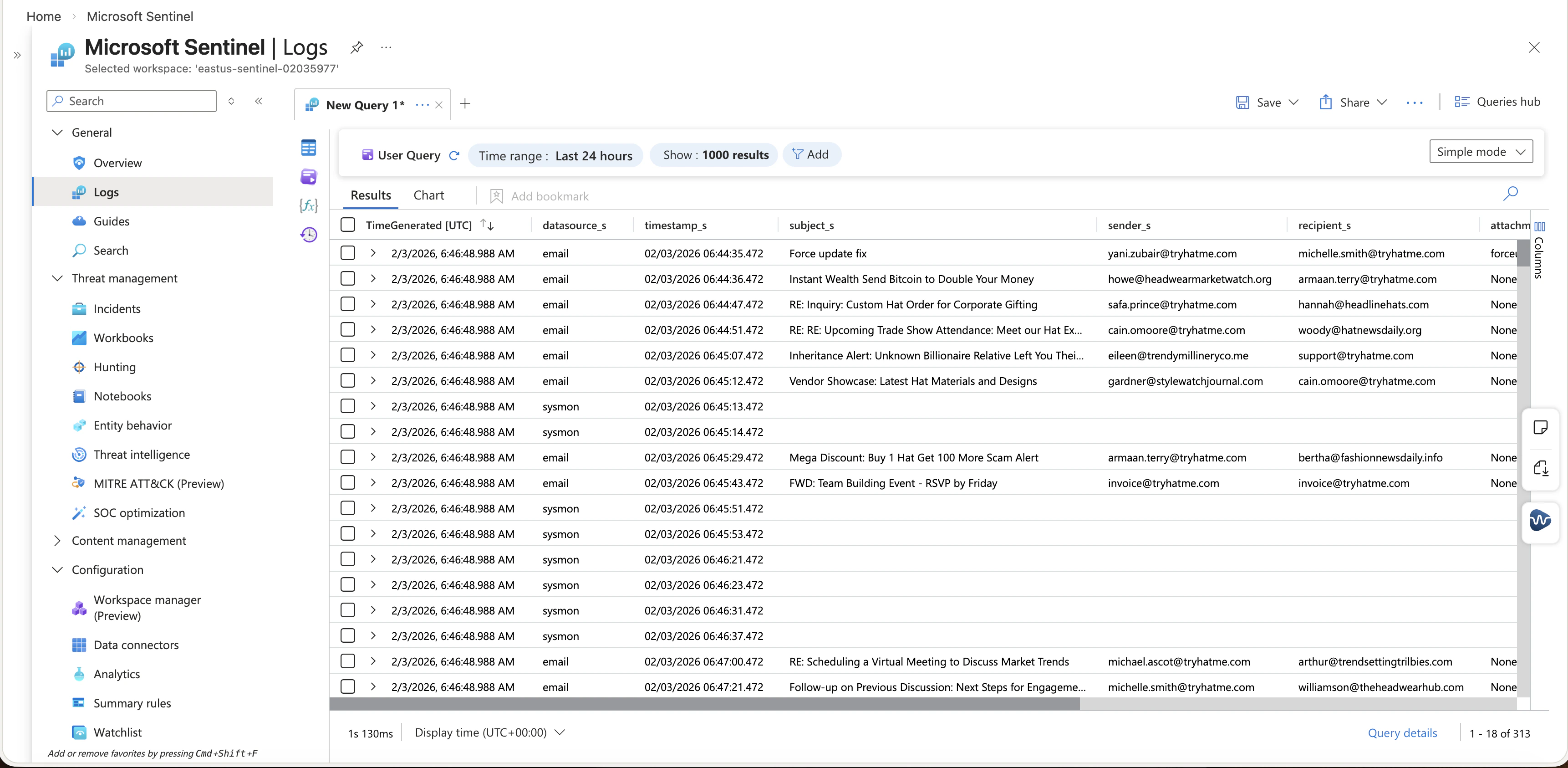
We have a table that has direction, sender, recipient, subject, attachment, and message content.
```csv theme={null}
TimeGenerated UTC,Computer,RawData,datasource_s,timestamp_s,subject_s,sender_s,recipient_s,attachment_s,content_s,direction_s,Type
02/03/2026 06:46:48.988,,,,02/03/2026 06:44:35.472,Force update fix,yani.zubair@tryhatme.com,michelle.smith@tryhatme.com,forceupdate.ps1,Hey Michelle can you run this PowerShell script to fix the update issue we discussed It should resolve the problem with the automatic updates not working properly,internal,tbl020359771_CL
02/03/2026 06:46:48.988,,,,02/03/2026 06:44:36.472,Instant Wealth Send Bitcoin to Double Your Money,howe@headwearmarketwatch.org,armaan.terry@tryhatme.com,None,Our exclusive system guarantees instant Bitcoin doubling Send us just 100 and watch it turn into 200 instantly,inbound,tbl020359771_CL
02/03/2026 06:46:48.988,,,,02/03/2026 06:44:47.472,RE Inquiry Custom Hat Order for Corporate Gifting,safa.prince@tryhatme.com,hannah@headlinehats.com,None,Attached are some design mockups and pricing options Let us know if you have any adjustments or additional requests,outbound,tbl020359771_CL
02/03/2026 06:46:48.988,,,,02/03/2026 06:44:51.472,RE RE Upcoming Trade Show Attendance Meet our Hat Experts,cain.omoore@tryhatme.com,woody@hatnewsdaily.org,None,Do you have a booth number or schedule for presentations I would like to plan accordingly,outbound,tbl020359771_CL
```
## 2. Hunt for unknown email sender
1. Open Microsoft Sentinel.
2. Go to Logs.
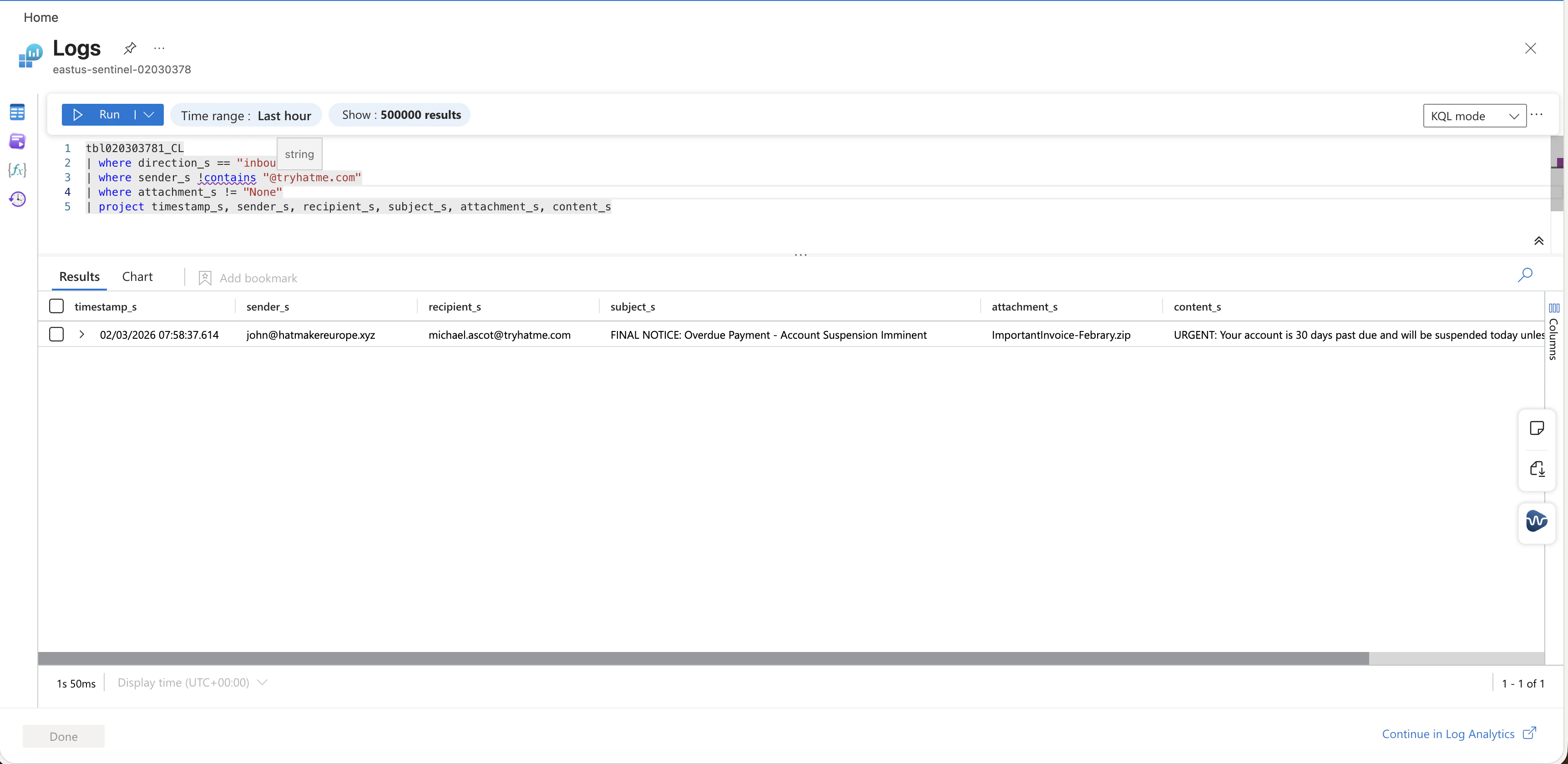
3. Run this query to list inbound email from outside the organization domain.
```kusto theme={null}
tbl020303781_CL
| where direction_s == "inbound"
| where sender_s !contains "@tryhatme.com"
| project timestamp_s, sender_s, recipient_s, subject_s, attachment_s, content_s
```
 ## 3. Targeted filter
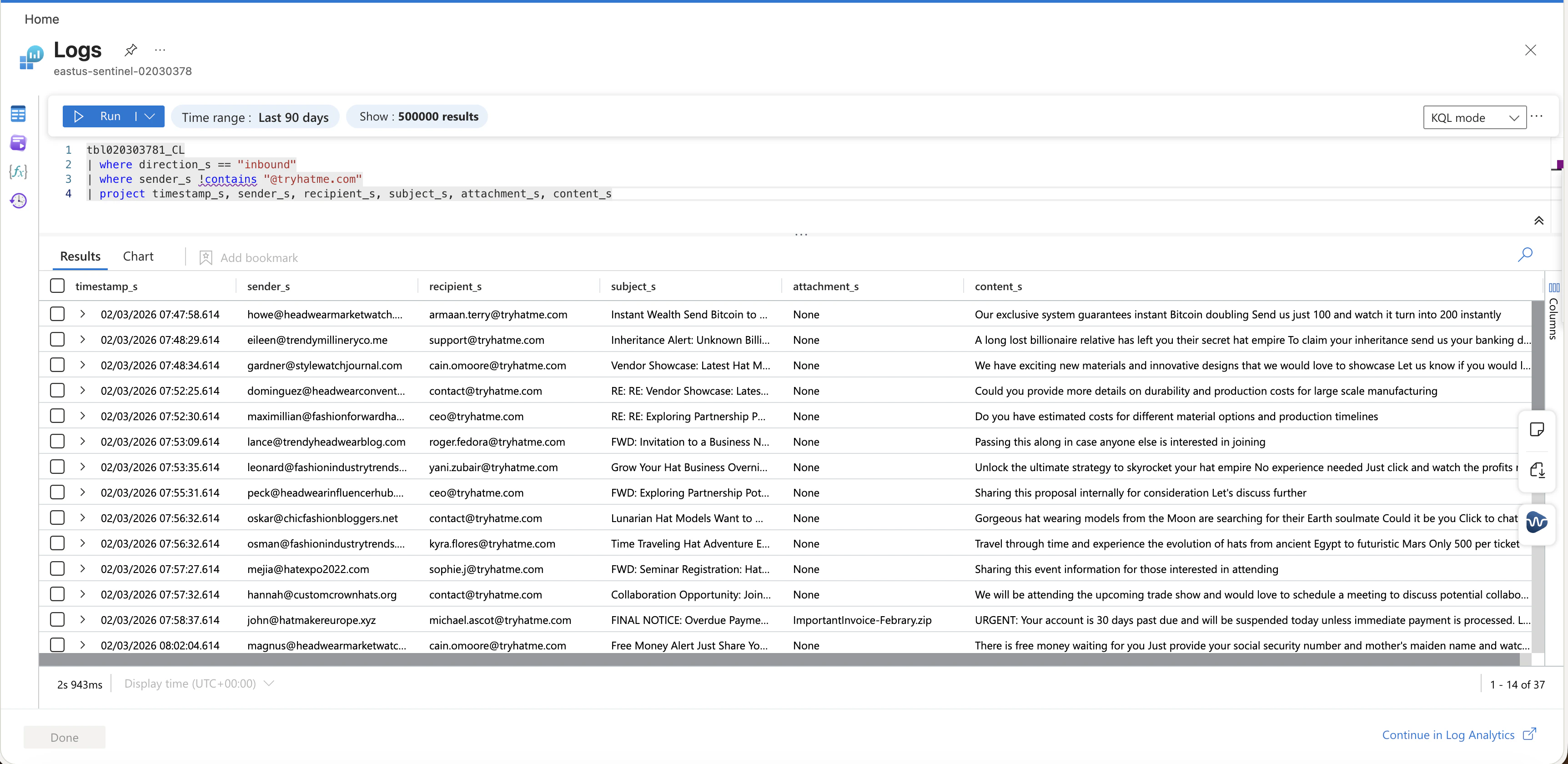
Use this when you have a known phishing subject and you want exact matches fast.
```kusto theme={null}
tbl020303781_CL
| where direction_s == "inbound"
| where sender_s !contains "@tryhatme.com"
| where subject_s == "Inheritance Alert: Unknown Billionaire Relative Left You Their Hat Fortunes"
| project timestamp_s, sender_s, recipient_s, subject_s, attachment_s, content_s
```
## 3. Targeted filter
Use this when you have a known phishing subject and you want exact matches fast.
```kusto theme={null}
tbl020303781_CL
| where direction_s == "inbound"
| where sender_s !contains "@tryhatme.com"
| where subject_s == "Inheritance Alert: Unknown Billionaire Relative Left You Their Hat Fortunes"
| project timestamp_s, sender_s, recipient_s, subject_s, attachment_s, content_s
```
 ## 4. Attachment triage
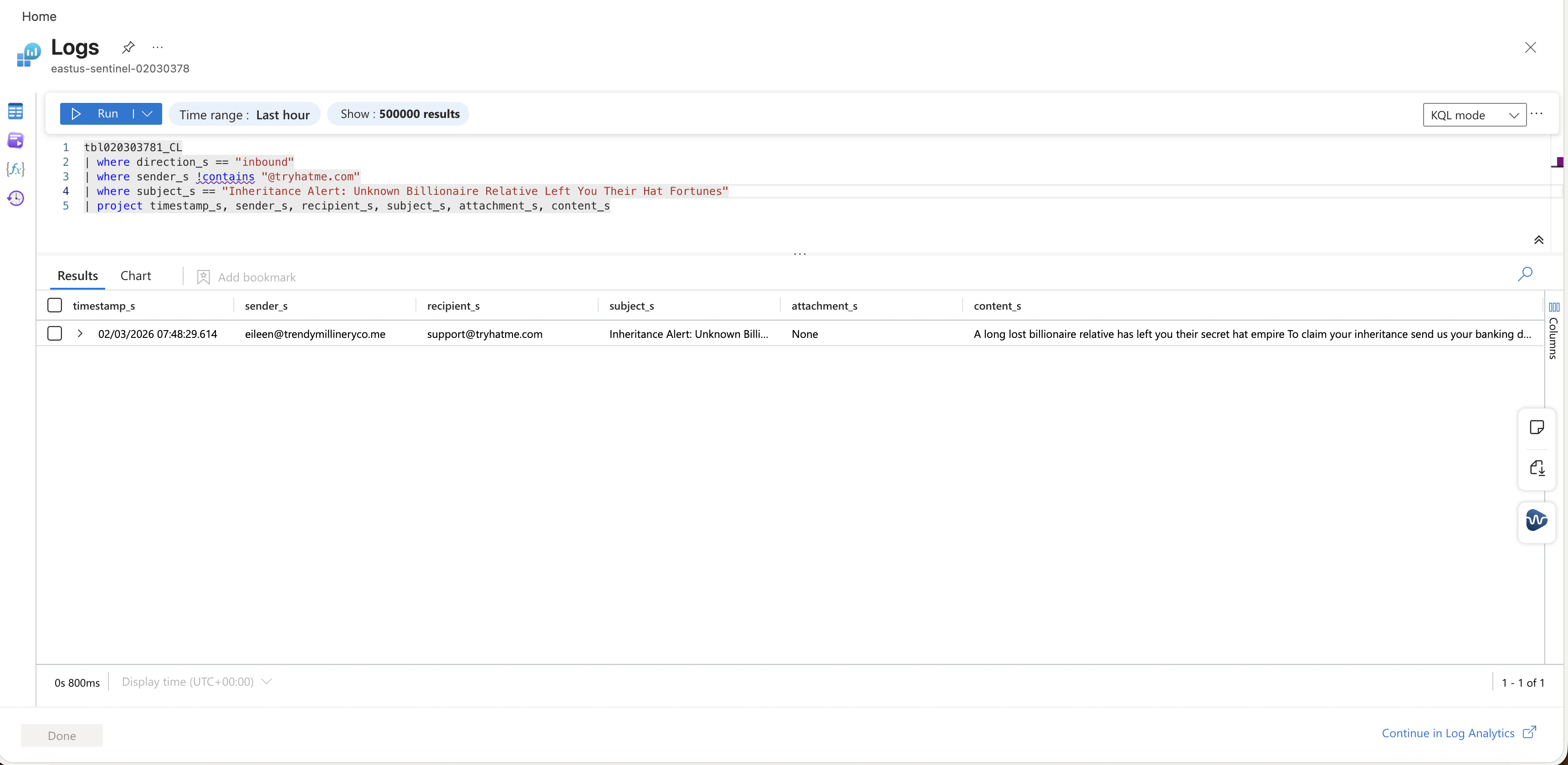
This is the first pivot when a user reports a suspicious attachment.
```kusto theme={null}
tbl020303781_CL
| where direction_s == "inbound"
| where sender_s !contains "@tryhatme.com"
| where attachment_s != "None"
| project timestamp_s, sender_s, recipient_s, subject_s, attachment_s, content_s
```
## 4. Attachment triage
This is the first pivot when a user reports a suspicious attachment.
```kusto theme={null}
tbl020303781_CL
| where direction_s == "inbound"
| where sender_s !contains "@tryhatme.com"
| where attachment_s != "None"
| project timestamp_s, sender_s, recipient_s, subject_s, attachment_s, content_s
```
 ## 5. Turn hunt into a scheduled rule
So we can detect the phishing email periodically
1. Go to Analytics.
2. Create a Scheduled query rule.
3. Use the Attachment triage query as the starting point.
4. Set query frequency to 5 minutes.
5. Map entities for sender and recipient if the schema supports it.
6. Create incidents so triage starts in the Incidents queue.
## 5. Turn hunt into a scheduled rule
So we can detect the phishing email periodically
1. Go to Analytics.
2. Create a Scheduled query rule.
3. Use the Attachment triage query as the starting point.
4. Set query frequency to 5 minutes.
5. Map entities for sender and recipient if the schema supports it.
6. Create incidents so triage starts in the Incidents queue.