Phishing Detection with Sentinel

Hunt inbound phishing in Microsoft Sentinel using a simple mail log table and KQL.

1. Data

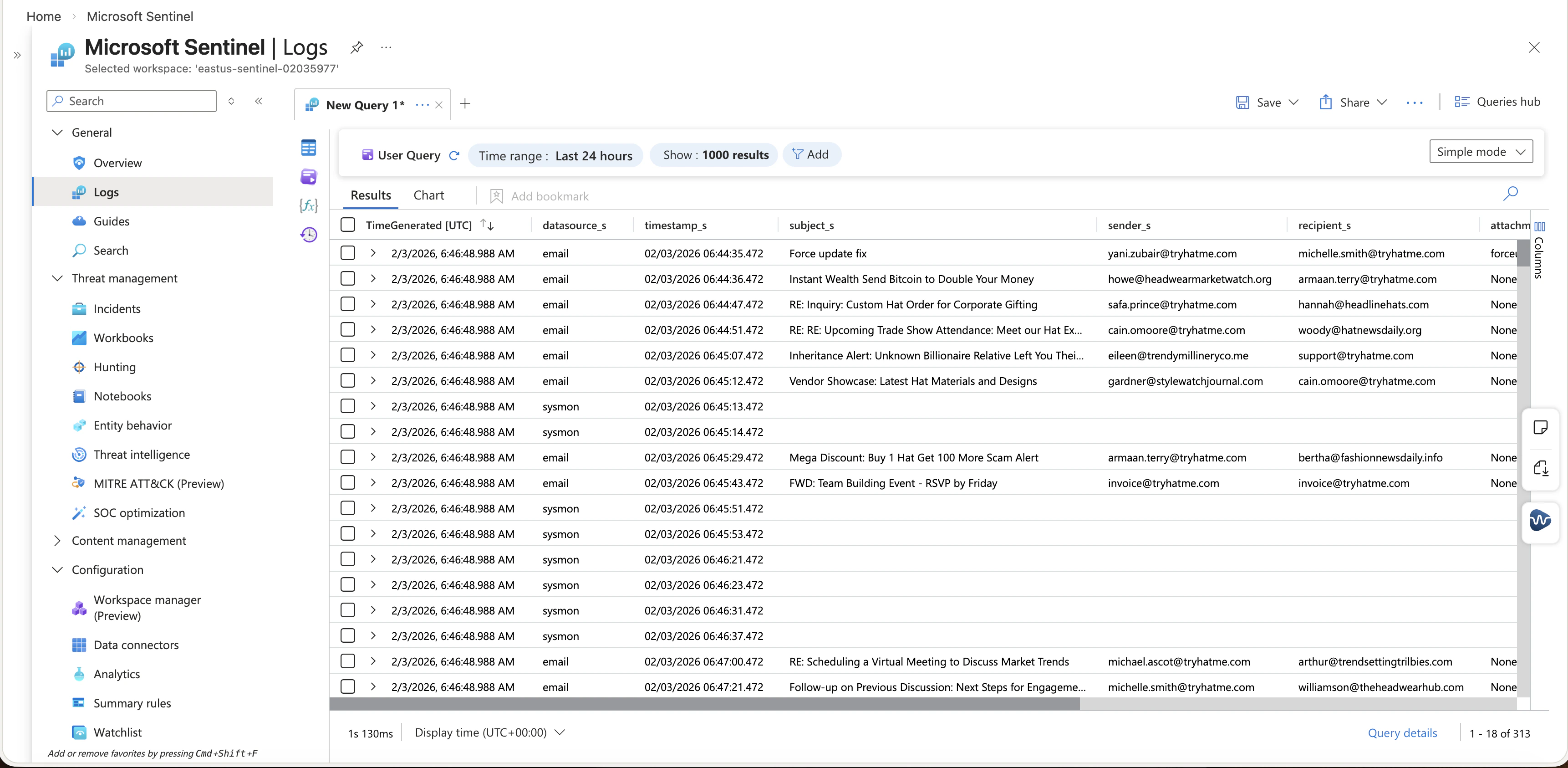
We have a table that has direction, sender, recipient, subject, attachment, and message content.
TimeGenerated UTC,Computer,RawData,datasource_s,timestamp_s,subject_s,sender_s,recipient_s,attachment_s,content_s,direction_s,Type
02/03/2026 06:46:48.988,,,,02/03/2026 06:44:35.472,Force update fix,[email protected],[email protected],forceupdate.ps1,Hey Michelle can you run this PowerShell script to fix the update issue we discussed It should resolve the problem with the automatic updates not working properly,internal,tbl020359771_CL
02/03/2026 06:46:48.988,,,,02/03/2026 06:44:36.472,Instant Wealth Send Bitcoin to Double Your Money,[email protected],[email protected],None,Our exclusive system guarantees instant Bitcoin doubling Send us just 100 and watch it turn into 200 instantly,inbound,tbl020359771_CL
02/03/2026 06:46:48.988,,,,02/03/2026 06:44:47.472,RE Inquiry Custom Hat Order for Corporate Gifting,[email protected],[email protected],None,Attached are some design mockups and pricing options Let us know if you have any adjustments or additional requests,outbound,tbl020359771_CL
02/03/2026 06:46:48.988,,,,02/03/2026 06:44:51.472,RE RE Upcoming Trade Show Attendance Meet our Hat Experts,[email protected],[email protected],None,Do you have a booth number or schedule for presentations I would like to plan accordingly,outbound,tbl020359771_CL

2. Hunt for unknown email sender

  1. Open Microsoft Sentinel.
  2. Go to Logs.
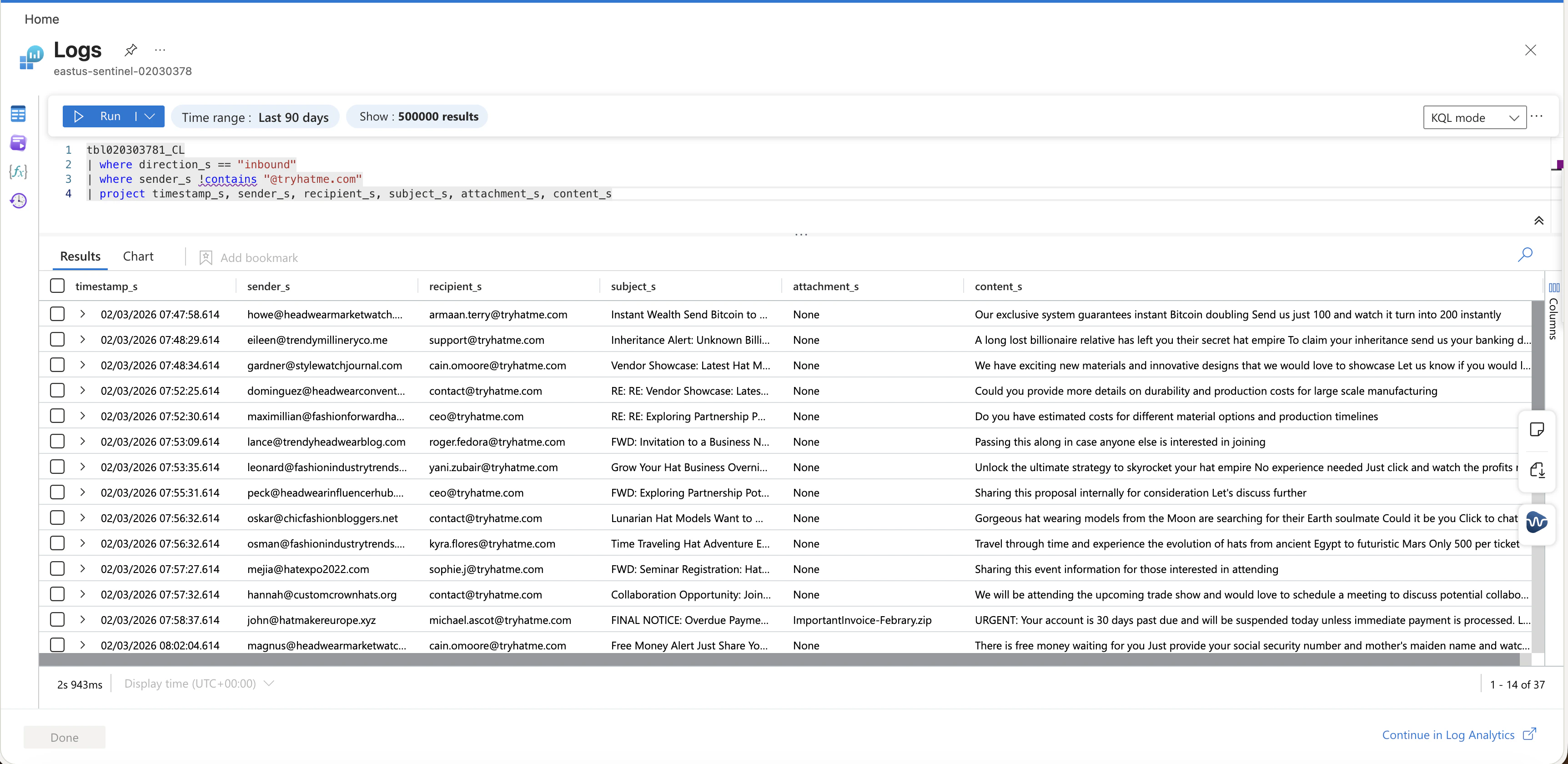
  3. Run this query to list inbound email from outside the organization domain.
tbl020303781_CL
| where direction_s == "inbound"
| where sender_s !contains "@tryhatme.com"
| project timestamp_s, sender_s, recipient_s, subject_s, attachment_s, content_s
Sentinel logs table Inbound external email last 90 days

3. Targeted filter

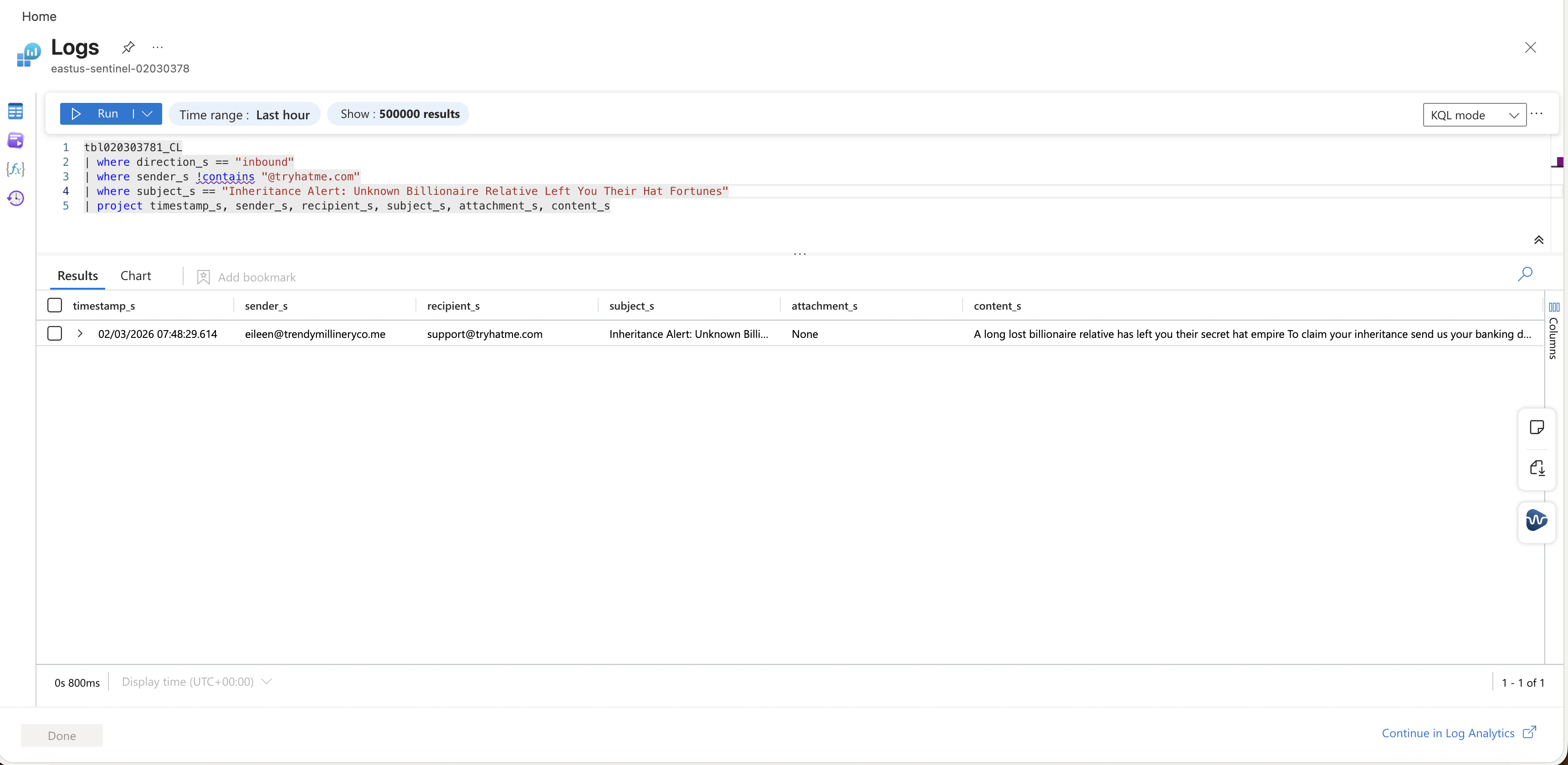
Use this when you have a known phishing subject and you want exact matches fast.
tbl020303781_CL
| where direction_s == "inbound"
| where sender_s !contains "@tryhatme.com"
| where subject_s == "Inheritance Alert: Unknown Billionaire Relative Left You Their Hat Fortunes"
| project timestamp_s, sender_s, recipient_s, subject_s, attachment_s, content_s
Filter inbound by subject

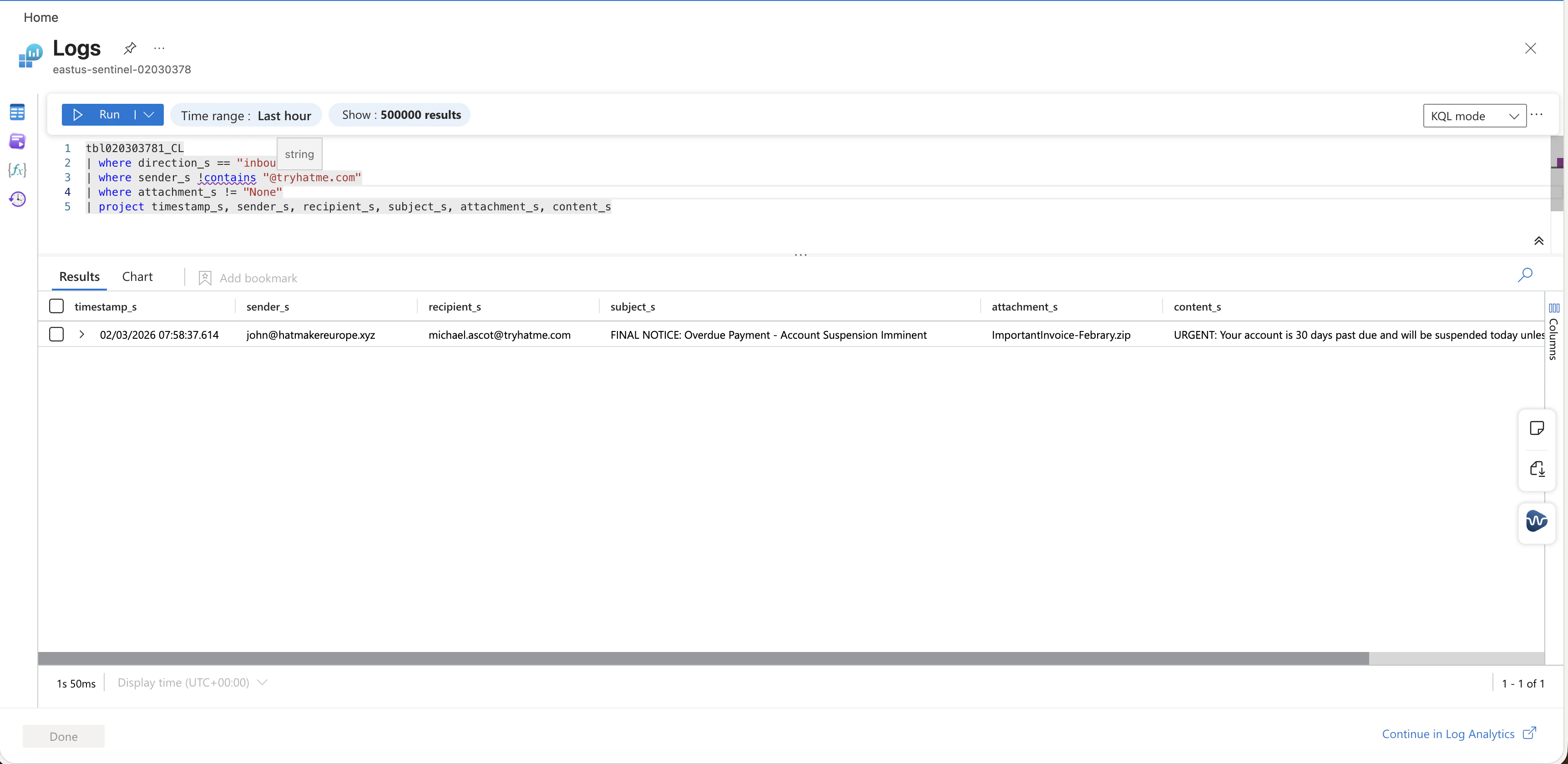
4. Attachment triage

This is the first pivot when a user reports a suspicious attachment.
tbl020303781_CL
| where direction_s == "inbound"
| where sender_s !contains "@tryhatme.com"
| where attachment_s != "None"
| project timestamp_s, sender_s, recipient_s, subject_s, attachment_s, content_s
Inbound external email with attachment

5. Turn hunt into a scheduled rule

So we can detect the phishing email periodically
  1. Go to Analytics.
  2. Create a Scheduled query rule.
  3. Use the Attachment triage query as the starting point.
  4. Set query frequency to 5 minutes.
  5. Map entities for sender and recipient if the schema supports it.
  6. Create incidents so triage starts in the Incidents queue.